Calculator Mode (*)
💎 Pro feature — Calculator Mode requires Key Launcher Pro. It is fully available during your in-app free trial.
Calculator Mode turns the T9 keyboard into a full calculator without leaving the home screen — no need to hunt for a calculator app.
Enabling & Opening
- Go to Settings → Keyboard → Long-press actions → Calculator and turn the toggle on.
- On the home screen, long-press the
*key. The T9 grid is replaced by a ColorOS-style 4-column calculator keypad.
*is only the default. You can move Calculator onto0or#in the same section — see Long-Press Actions.
The Keypad
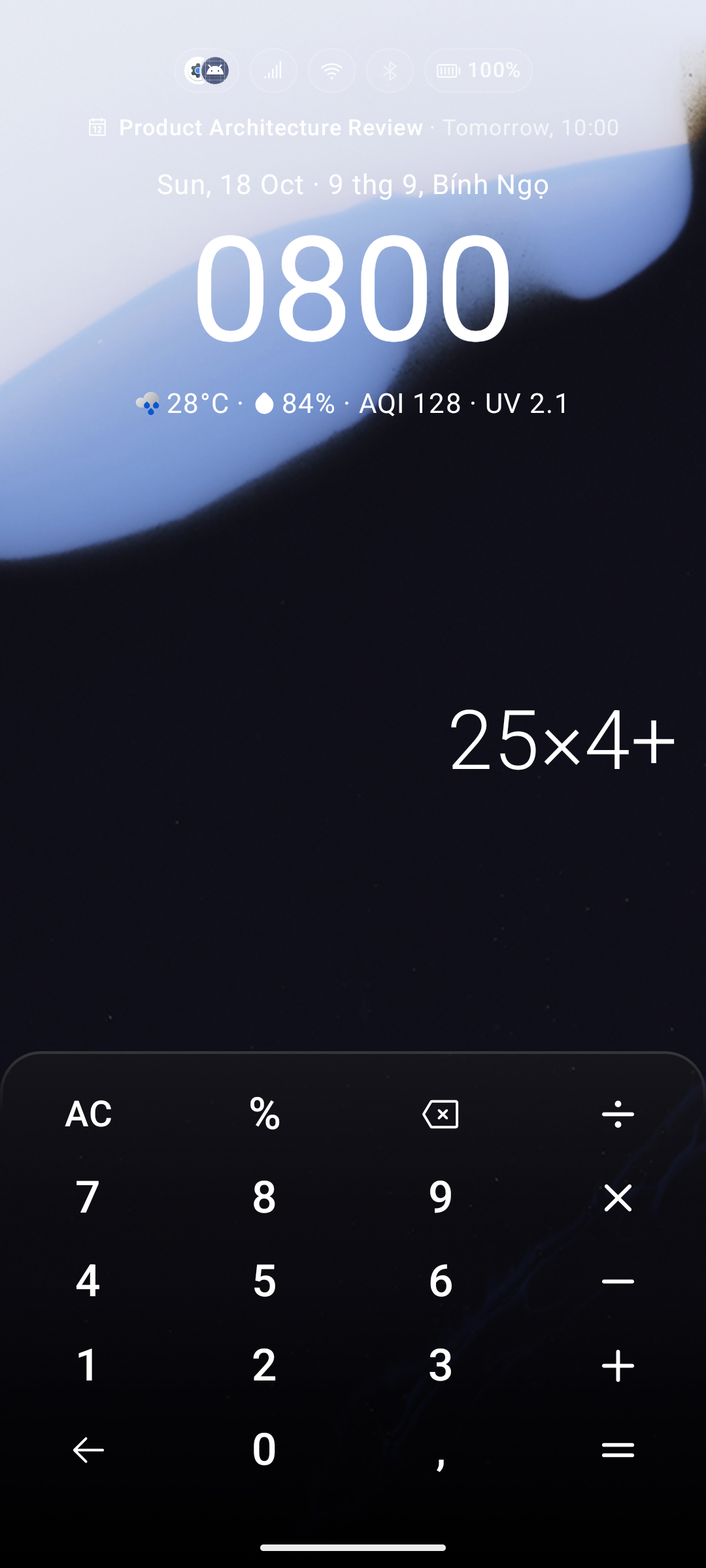
| Key | Action |
|---|---|
0–9 and the decimal key | Enter numbers |
+ − × ÷ % | Operators |
= | Evaluate the expression |
AC | Clear everything |
| Backspace () | Delete the last character; long-press to clear all |
| Back () | Exit Calculator Mode and return to the T9 keyboard |
The expression and its result are displayed above the keypad in real time.
Number Format
Choose how results are grouped and how decimals are separated in Settings → Keyboard → Long-press actions → Calculator → Number format:
| Format | Example |
|---|---|
| Dot grouping, comma decimal | 1.234,56 |
| Comma grouping, dot decimal | 1,234.56 |
| Space grouping, comma decimal | 1 234,56 |
| Space grouping, dot decimal | 1 234.56 |
Each option shows a live preview (e.g. 96 × 35 = 3.360) so you can see exactly how results will look. The decimal key on the keypad also follows this setting.
You can also type quick math expressions directly into the Universal Smart Search bar — Calculator Mode is the keypad-first alternative optimized for one-handed use.