Calendar Sync & Auto-Reload
Key Launcher does not store your calendar events independently; instead, it integrates directly with your Android device's native Calendar Provider database.
Real-Time System Synchronization
Key Launcher ensures your timeline is always up-to-date with your calendar accounts (such as Google Calendar, Microsoft Outlook, Exchange, or local device calendars):
- Content Observer Service: The launcher registers a system-level content observer pointing to
CalendarContract.Events.CONTENT_URI. - Instant Updates: Whenever you add, edit, or delete an event in Google Calendar or any synced calendar app, Android triggers a database change. Key Launcher instantly catches this signal and auto-reloads your timeline in the background.
Managing Calendar Selection
You can customize exactly which calendar accounts or sub-calendars show up on your timeline:
- Open the Agenda Sheet.
- Tap the Tune () icon in the top right corner of the header.
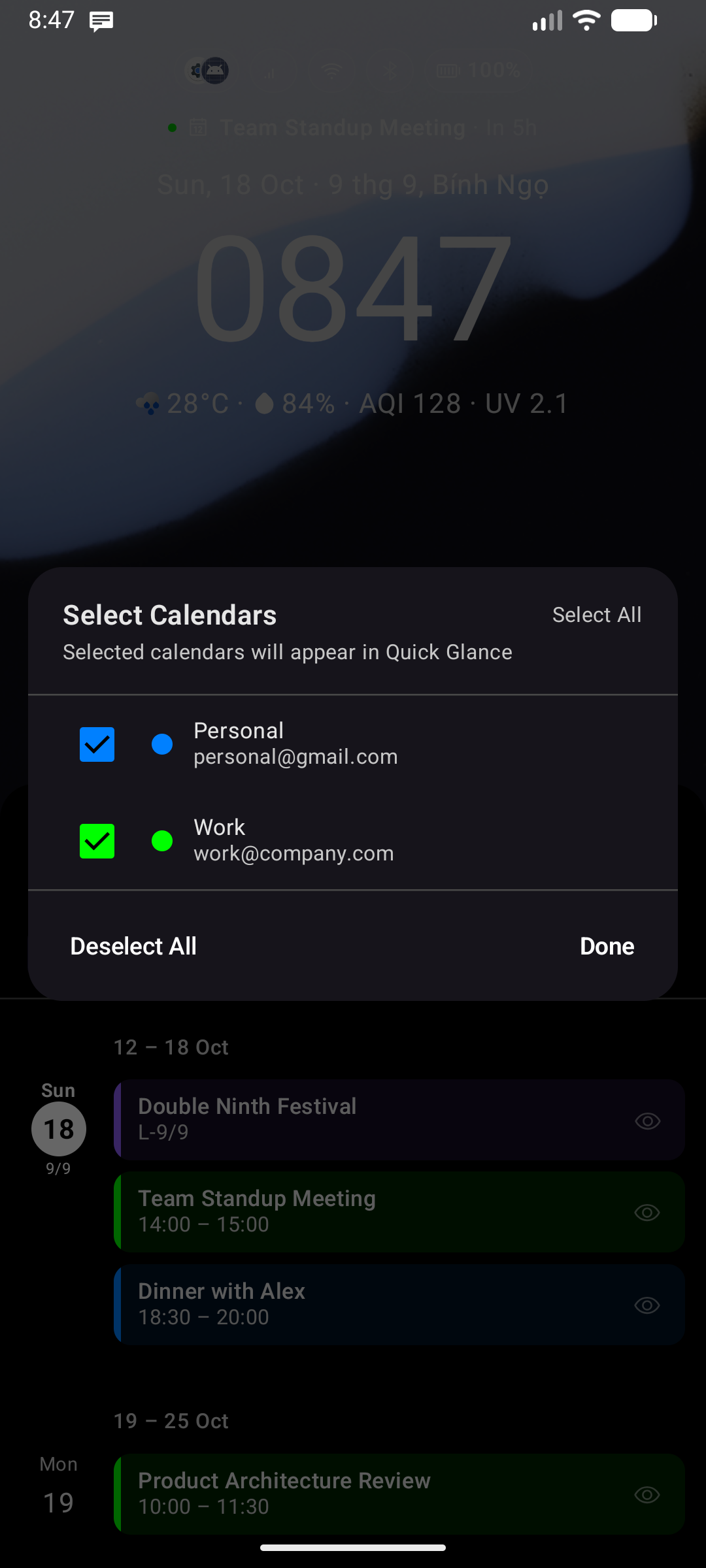
- A dialog will open listing all available calendar accounts on your device.
- Toggle on/off specific calendars (e.g., check Work, uncheck Holidays) and tap save.