Essential System Permissions
Key Launcher values your privacy. Permissions are never requested upfront — each one is asked lazily and in-context, only the first time you use the feature that needs it. You can also grant or revoke them all from one place.
Permissions Hub
Long-press any empty area on the home screen to open Settings, then tap Permissions to reach the hub. Each row shows the current grant status and lets you enable it with one tap.
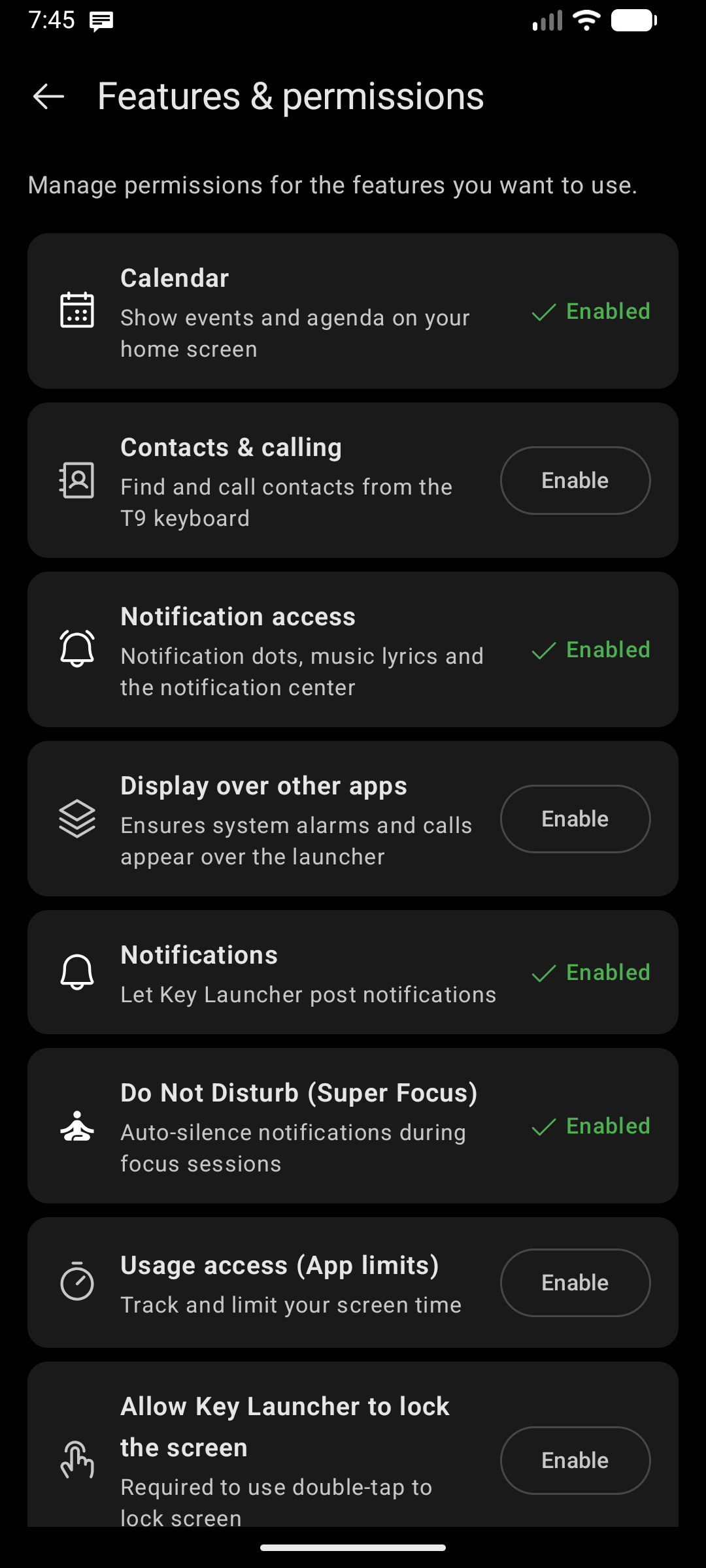
The 9 Permissions
1. Calendar
- Features enabled: Agenda Sheet (events timeline on home screen and in Super Focus).
- Type: Runtime permission — the launcher requests it in-context.
- Permissions:
READ_CALENDAR
2. Contacts & Calling
- Features enabled: T9 contact search, direct-call and direct-SMS from search results.
- Type: Runtime permission.
- Permissions:
READ_CONTACTS,WRITE_CONTACTS,CALL_PHONE
3. Notification Access (Listener)
- Features enabled: Notification Center overlay, notification dots, swipe-to-dismiss, and Synced Lyrics.
- Type: Special access — must be enabled in system settings.
- How to enable: Tap Enable in the Permissions hub → system Notification Access page → toggle on Key Launcher.
- Why it is safe: Key Launcher never logs, stores, or transmits notification content. All processing is transient and on-device.
4. Display Over Other Apps
- Features enabled: Ensures incoming calls, alarms, and system overlays appear correctly above the launcher.
- Type: Special access (
ACTION_MANAGE_OVERLAY_PERMISSION). - How to enable: Tap Enable in the Permissions hub → system overlay settings → allow for Key Launcher.
5. Post Notifications (Android 13+ only)
- Features enabled: Lets Key Launcher post its own notifications (e.g. birthday reminders, feed updates).
- Type: Runtime permission (
POST_NOTIFICATIONS), only shown on Android 13 (API 33) and above.
6. Do Not Disturb (Super Focus)
- Features enabled: Auto-silence all notifications when Super Focus mode is active.
- Type: Special access (Notification Policy Access).
- How to enable: Tap Enable in the Permissions hub → system Do Not Disturb access page → toggle on Key Launcher.
7. Usage Access (App Time Limits)
- Features enabled: Tracks per-app screen time and enforces App Time Limits you configure.
- Type: Special access (
ACTION_USAGE_ACCESS_SETTINGS). - How to enable: Tap Enable in the Permissions hub → system Usage access page → toggle on Key Launcher.
8. Accessibility Service (Double-Tap to Lock)
- Features enabled: Lock the screen by double-tapping any empty area of the home screen.
- Type: Special access (
ACTION_ACCESSIBILITY_SETTINGS). - How to enable: Tap Enable in the Permissions hub → system Accessibility page → find Key Launcher and turn it on.
- Why it is safe: Used solely to trigger the screen-lock action. Key Launcher does not read screen content, log keystrokes, or monitor user behaviour.
9. Location (Weather)
- Features enabled: Fetches weather and Air Quality Index (AQI) for your current location.
- Type: Runtime permission.
- Permissions:
ACCESS_COARSE_LOCATIONorACCESS_FINE_LOCATION— approximate location is sufficient. - Why it is safe: Coordinates are sent only to the weather API you configure (OpenWeather/WAQI or Open-Meteo). They are never shared with advertising or analytics services.
You can skip any permission and still use the rest of the launcher. Features that require a missing permission will prompt you again in-context when you first try to use them.