Appearance & Themes
Customize the visual style, button aesthetics, and interactive touch effects of your T9 keyboard. These settings let you control whether the keyboard feels modern and flat, tactile like a retro phone, or fluid and translucent.
Keyboard Surface Themes
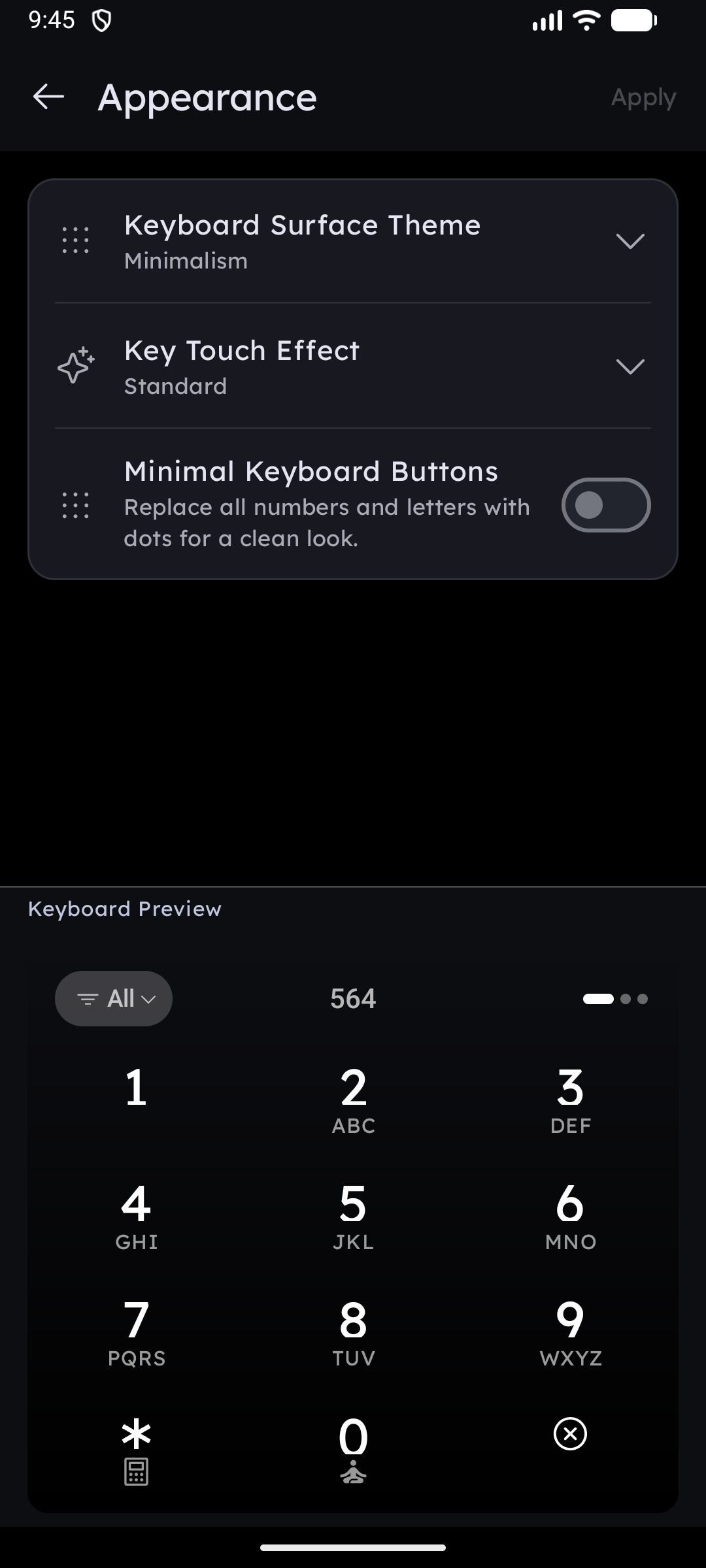
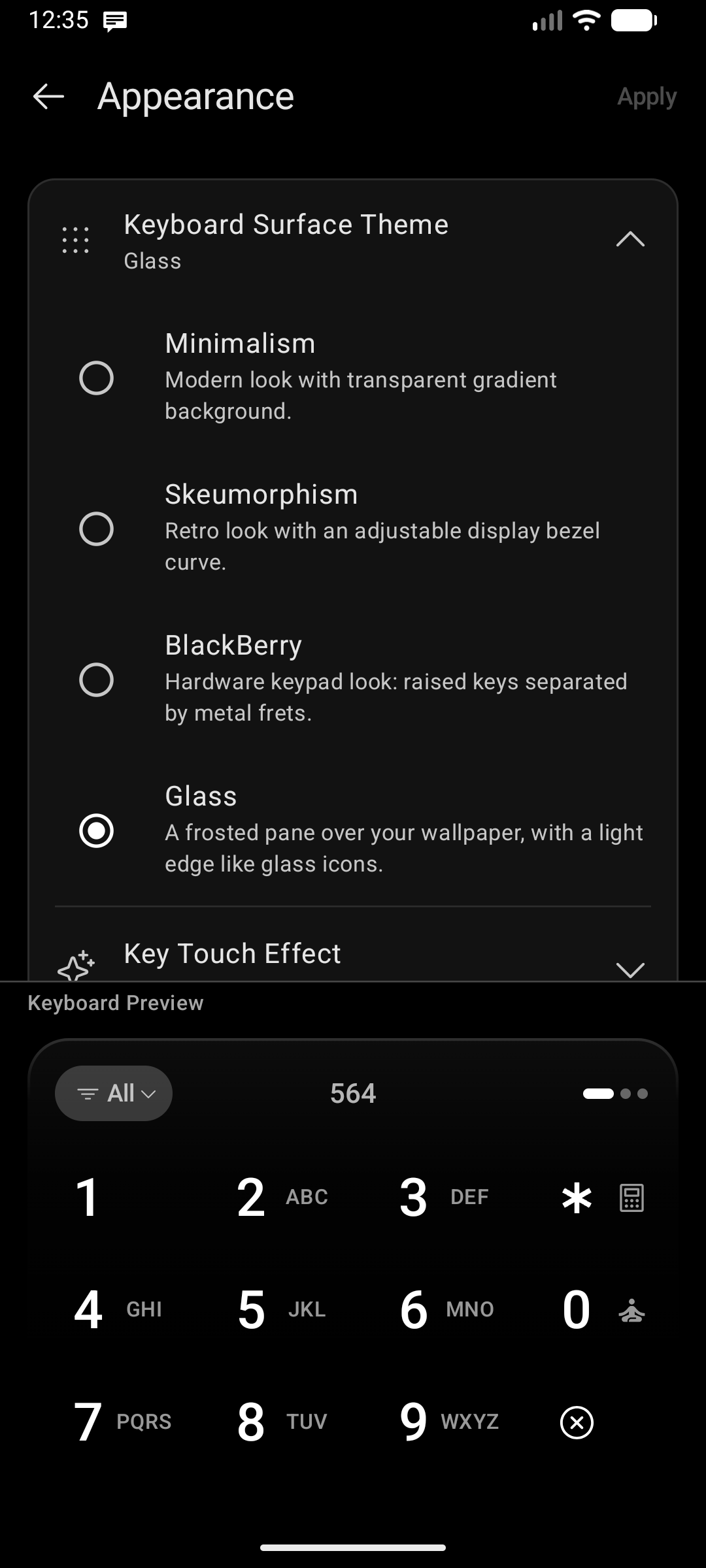
Key Launcher supports 4 distinct keyboard surface designs:
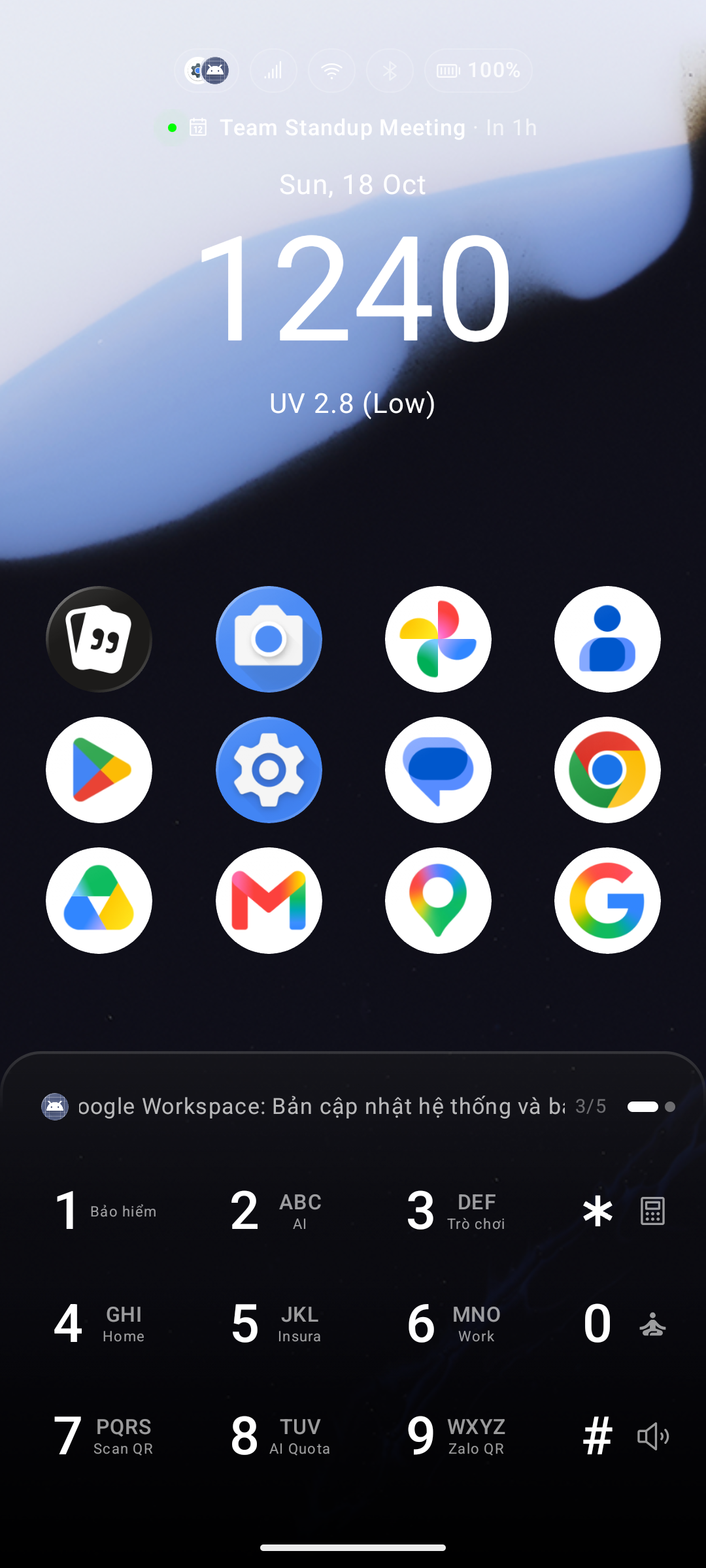
1. Minimalism
- Aesthetics: A clean, modern, flat tile-based layout with a seamless transparent gradient background and no heavy shadows or divider lines.
- Best For: Ultra-clean minimalist setups, modern aesthetic icon packs, and solid or dark wallpapers.
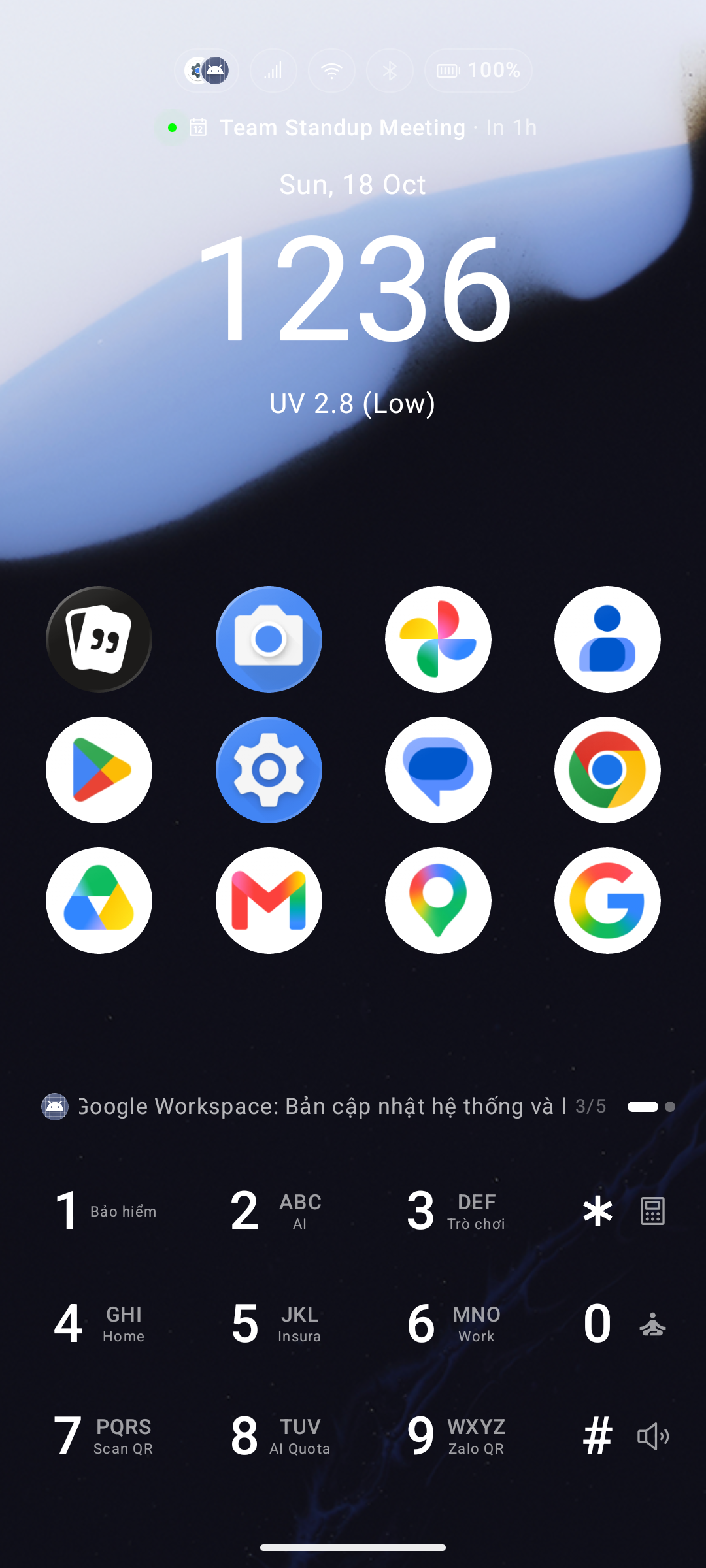
2. Skeuomorphism
- Aesthetics: Mimics tactile physical handset hardware by adding realistic 3D bevels, depth, and horizontal divider grooves across rows.
- Corner Radius: Selecting Skeuomorphism reveals a Corner radius slider (0 – 40 dp) that curves the keypad bezel — from square-edged to a soft, pill-like retro handset casing.
- Best For: Users who love the nostalgic look and feel of retro feature phones (like classic Nokia or Ericsson handsets).
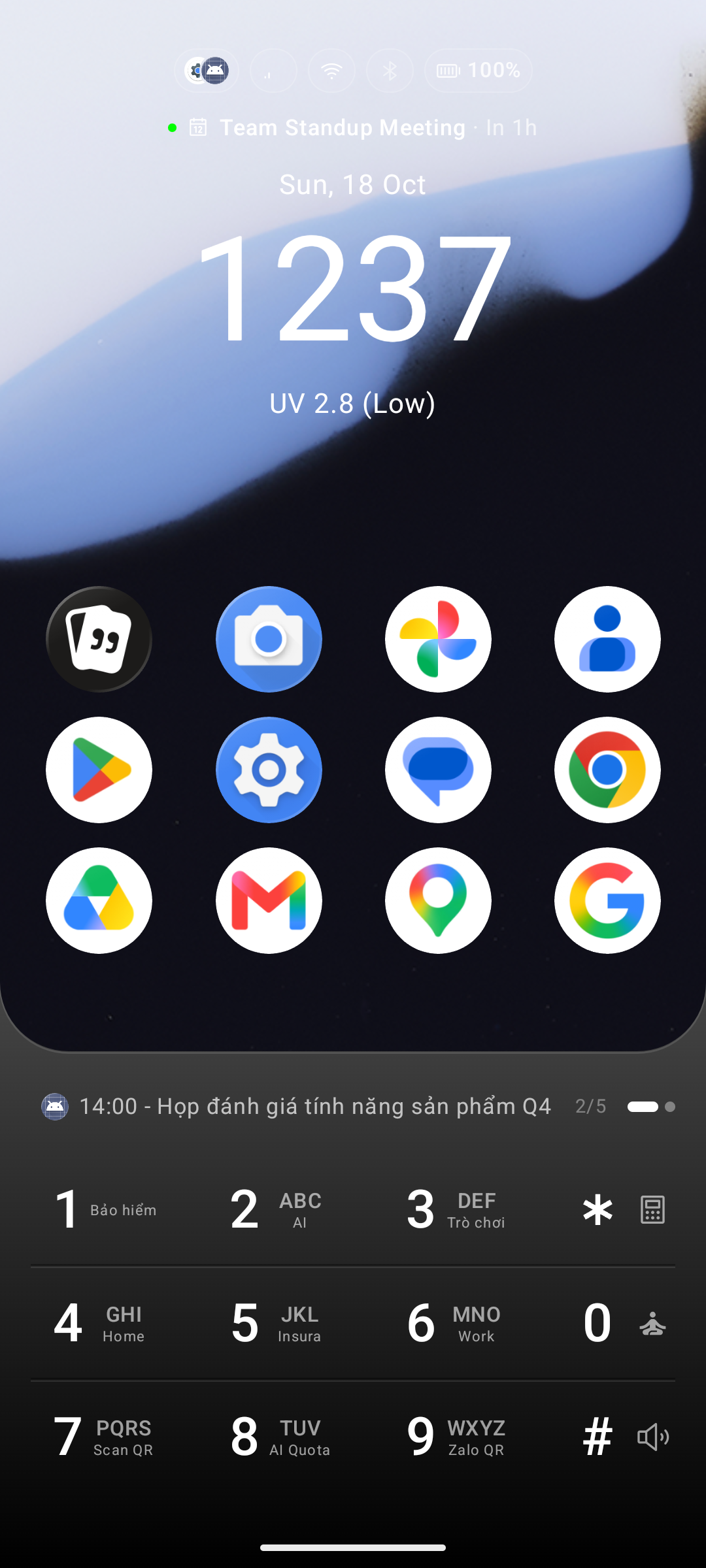
3. BlackBerry
- Aesthetics: Recreates the legendary physical BlackBerry keyboard: raised button caps with bevels and highlight outlines, separated by authentic tactile horizontal metallic frets between each row.
- Best For: Hardware keyboard enthusiasts, productivity power users, and fans of physical QWERTY / T9 handsets.
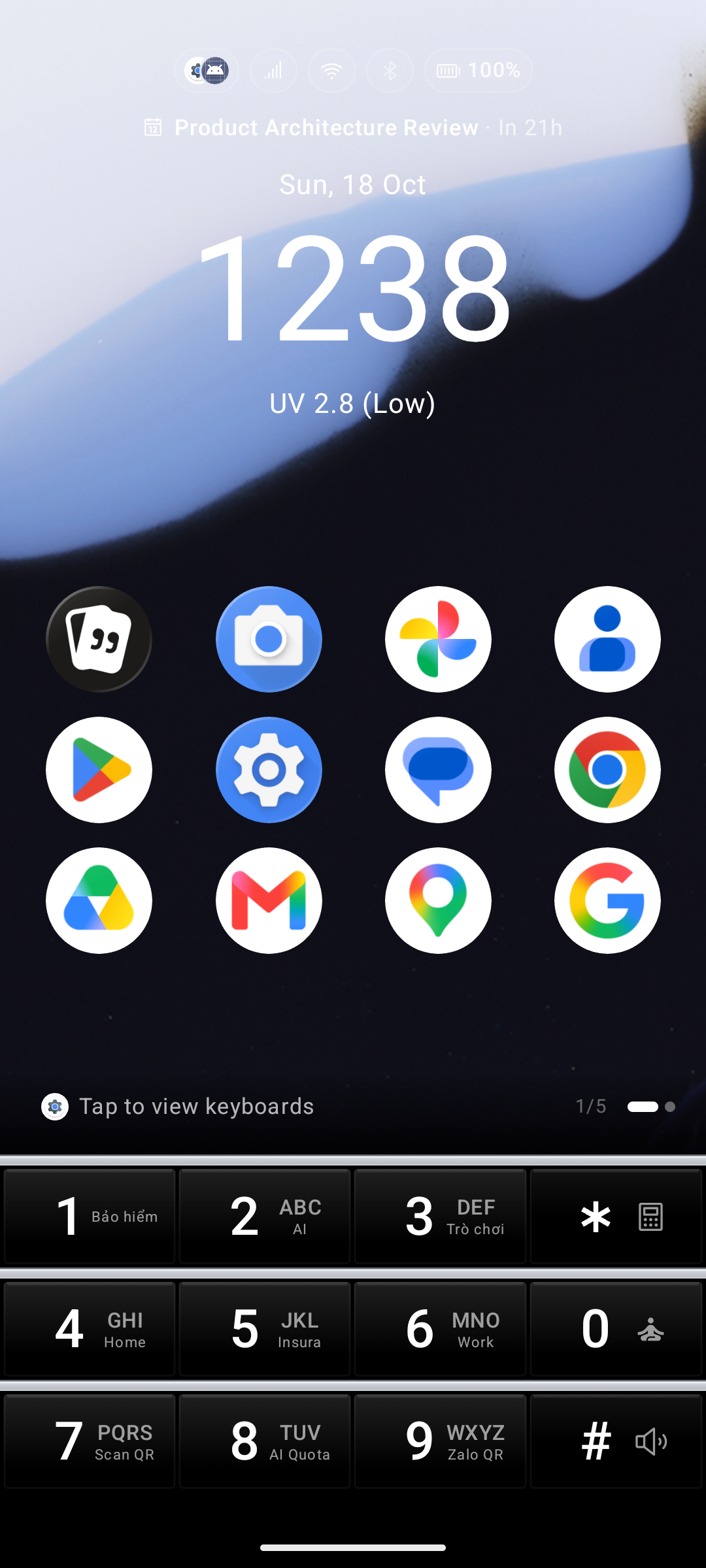
4. Glass (Frosted Glass)
- Aesthetics: A translucent frosted glass pane floating over your wallpaper, bordered with subtle ambient light refraction lines that match the Glass icon style.
- Best For: Deep aesthetic wallpapers, photography, and futuristic translucent setups.
- Availability: Pro feature (accessible during the in-app trial; your selection remains intact if the trial expires).
Keyboard Touch Effects
Add visual feedback animations whenever you tap any key on the keypad. Go to Settings → Keyboard → Appearance & Themes → Keyboard Touch Effect:
- None (Static): Clean, silent default with instantaneous response and zero animations.
- Neon Glow: Dynamic, vibrant neon illumination blooming outward from pressed keys — inspired by Samsung Good Lock / Keys Cafe.
- Ripple Pulse: Elegant, organic fluid ripples echoing outward from the center of each pressed button.
Glow and Ripple are available with Pro or during the in-app trial. The default static response remains free.
The settings page features an Interactive Keypad Preview where you can tap mock buttons in real time to test glow and ripple animations before applying.
Minimal Keyboard Buttons
The Minimal Keyboard Buttons setting acts as an additional design modifier toggle:
- ON: Replaces standard button backgrounds with ultra-thin, minimalistic boundary lines, reducing visual clutter to a minimum.
- OFF: Keeps standard button shading and background filling active.
Super Shortcut Key Labels
For users with customized number hotkeys (1–9):
- Go to Settings → Keyboard → Super Shortcut → Show Labels on Number Keys.
- Displays the assigned action or app name in miniature text at the corner of each number key, so you always know your shortcuts at a glance.