Pinned Apps Grid
The Pinned Grid is your home screen workspace — a minimalist grid of your most important apps, contacts, shortcuts, and folders.
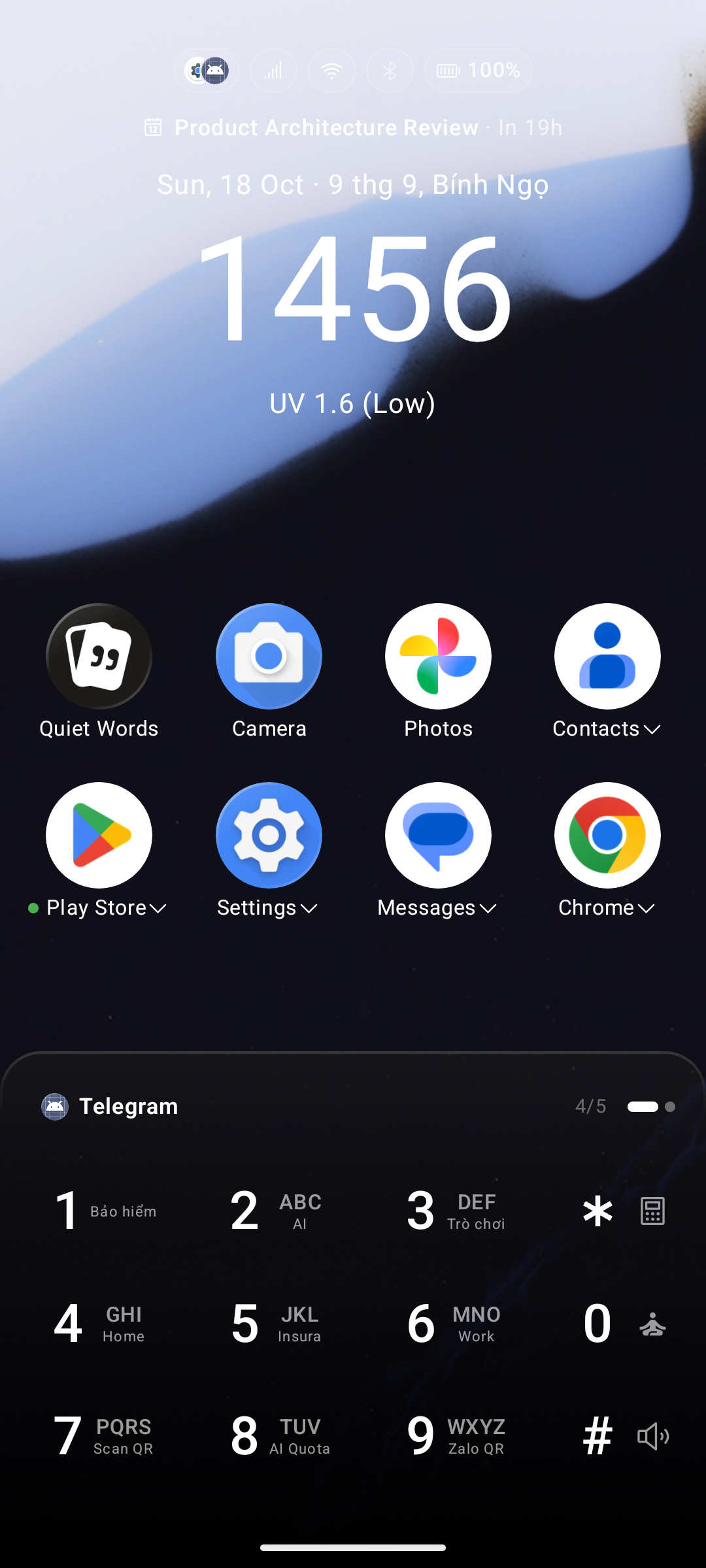
💎 Free plan limit — The free tier caps how many apps you can pin. Key Launcher Pro removes this limit (included in the in-app free trial).
Pinning and Unpinning Apps
- Pin an app: Swipe up to open the App Drawer, long-press any app icon, and select Pin to Home.
- Unpin an app: Long-press any icon on the home screen and select Unpin from Home.
Reordering & Layout Organization
- Drag to Rearrange: Long-press an icon until it lifts, then drag it to a new position. The grid uses a Shift mechanism — surrounding items slide to make space instead of swapping positions.
- Sort Pinned Items A–Z: Automatically sorts all pinned apps, contacts, shortcuts, and folders alphabetically by name. Enable via Settings → Icons Grid → Layout → Sort pinned items A–Z.
- Lock Home Layout: Want to protect your carefully crafted setup? Toggle on Settings → Icons Grid → Layout → Lock Home layout. Icons cannot be dragged or rearranged, while long-press context menus remain fully accessible.
Appearance Settings
Open Settings → Icons Grid to customize how the grid looks and behaves. Changes are previewed live at the top of the screen. Tap Apply to save.
Icon Pack & Masking
| Setting | Options / Range | Description |
|---|---|---|
| Icon Pack | Installed packs | Unified artwork styling from third-party icon packs |
| Themed Icons (Beta) | Toggle | Applies your system's themed icon palette (Android 13+) |
| Force themed icons | Toggle | Recolors apps lacking official themed icons using adaptive monochrome hues |
| Icon Shape | 24 shapes | The mask every icon is cut to — System (default), Sharp square, Rounded, Squircle, Circle, Teardrop, Hexagon, Star, Heart, and more |
| Keep irregular icons unshaped | Toggle | Leaves unique, non-adaptive, or freeform icon shapes intact rather than forcefully cropping them into the selected shape mask |
| Glass effect | Toggle | Adds a soft light edge along icon borders for a premium glass aesthetic |
| Icon Size | 40 – 80 dp | Scales all icons up or down |
Layout & Page Transitions
| Setting | Options / Range | Description |
|---|---|---|
| Home Grid Columns | 3 / 4 / 5 | Number of icon columns on the home screen |
| Home Grid Rows | Slider | Number of rows (calculated dynamically from screen height) |
| Vertical Spacing | 0 – 32 dp | Extra vertical gap between icon rows |
| Number of Icon Pages | 1 – 9 pages | How many home screen pages you have active |
| Page Swipe Transition | Slide, Cube 3D, Zoom & Fade, Accordion, Carousel | 3D animation effects when swiping between home screen pages |
| Vertical pagination | Toggle | Swipe up/down to switch pages instead of left/right |
Details & Indicators
| Setting | Options | Description |
|---|---|---|
| Home screen icons | Show icons / Show hint text / Show nothing | Controls visual display in each grid cell |
| Hide Icon Label | Always Shown / Hide on Home only / Hide everywhere | Text labels below icons |
| Label Size | 8 – 20 sp | Font size of icon labels |
| Notification Dots | Always Hide / Red Dot / Blinking Dot | Visual unread notification indicators |
| Show Quick Action | Toggle | Shows the ▾ arrow next to app labels for opening system app shortcuts |