Contact Tap Action
By default, tapping a contact opens their card in the system Contacts app. Contact tap action lets you change that to call, message, or open a chat app instead — turning every contact result into a one-tap speed dial.
Open it from Settings → General → System / Behavior → Contact tap action.
Default Action
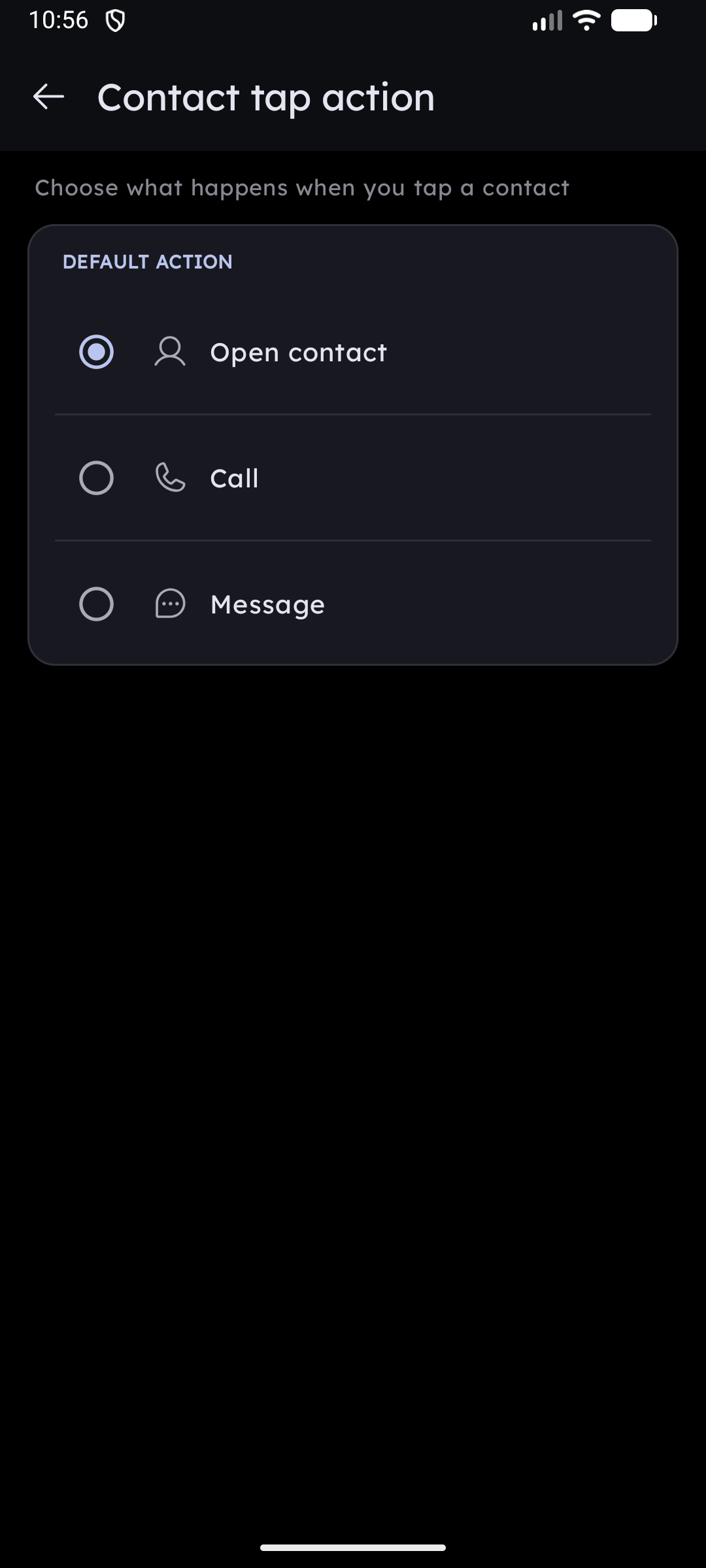
Pick what a contact tap does everywhere in the launcher (home grid, T9 results, Smart Search, folders):
| Action | What happens |
|---|---|
| Open contact (default) | Opens the contact card in the system Contacts app — the original behavior |
| Call | Dials the contact directly |
| Message | Opens your SMS app with the contact filled in |
| Zalo | Opens a Zalo chat with the contact's number |
| Viber | Calls the contact on Viber |
| Opens a WhatsApp chat with the contact's number |
Zalo, Viber, and WhatsApp only appear in the list when that app is installed. Each row shows the real app icon, so the list matches what is actually on your phone.
Contacts with no phone number always open their contact card, regardless of this setting.
When a Contact Has Multiple Numbers
When your chosen action needs a phone number, a second section appears:
| Option | Behavior |
|---|---|
| Always use the first number | Acts immediately on the contact's first number |
| Ask which number to use (default) | Shows a picker listing every number on the contact |
In the picker, a checkbox — for example "Always call this number" — is ticked by default. Leave it ticked and confirm, and that number is remembered for that contact and that action; the next tap goes straight through with no dialog.
Saved Default Numbers
Every number you remembered this way is listed under Saved default numbers, showing the contact name, the action, and the chosen number.
- Tap a row to pick a different number for that contact.
- Delete () removes a single saved choice — the picker will ask again next time.
- Forget all clears every saved choice at once.
Choices are stored per contact and per action, so remembering a number for Call does not silently change which number is used for Message.
Related
- Tapping the contact name (with the ▾ arrow) still opens the full Quick Actions menu, no matter what the tap action is set to — see Quick Contact Search & Actions.
- The chosen action needs the matching permission (calling requires Phone). Key Launcher requests it in context on first use — see Essential System Permissions.