Creating & Managing Events
The Agenda Sheet allows you to interact with your schedule directly by adding new entries or hiding unwanted items.
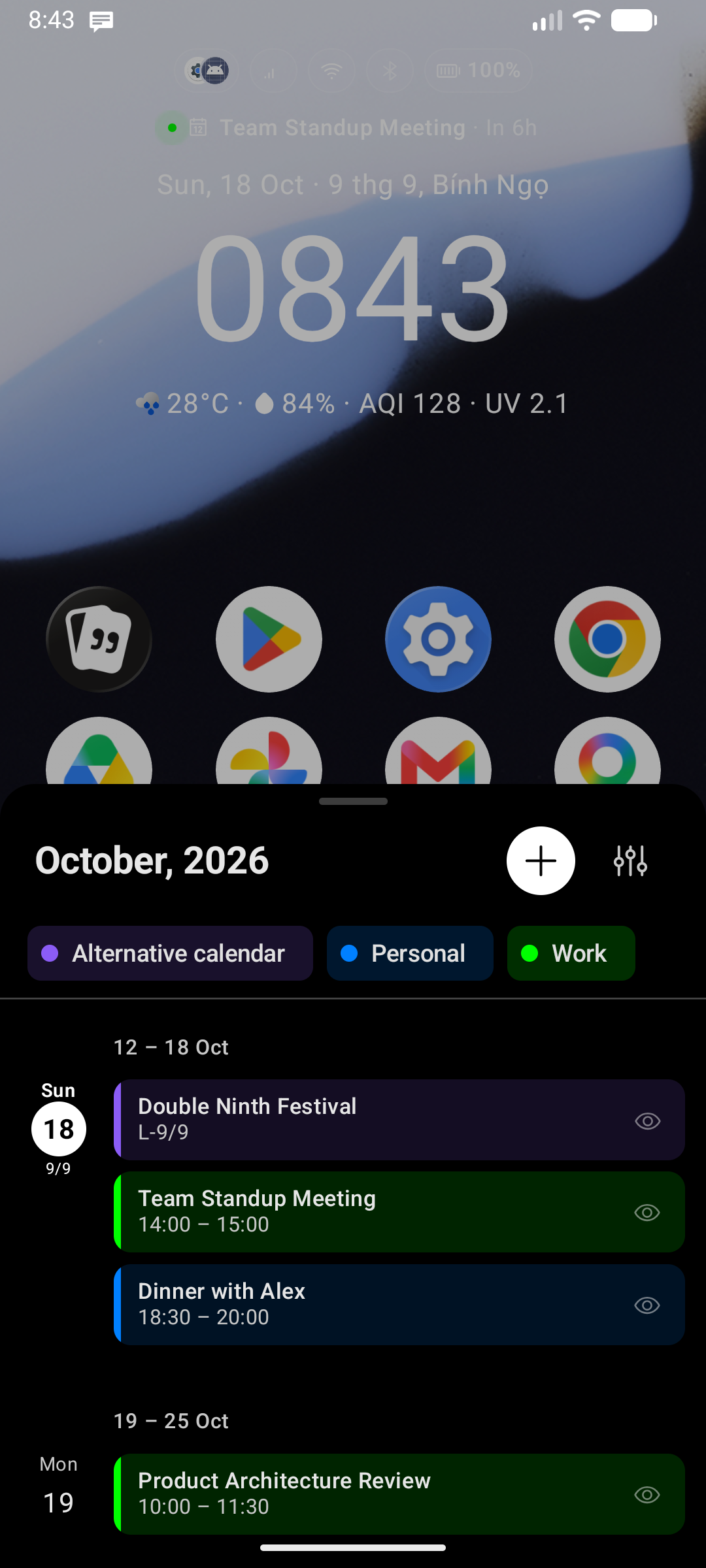
Creating New Events
You can write new entries directly into your device's system calendar:
- Tap the Add (
+) icon on the right side of the Agenda header. - Key Launcher launches an interactive creation dialog.
- Type in the event title, select dates/times, and choose the destination calendar account.
- Tap Save to write the event directly to the Android Calendar Provider.
Hiding Specific Events
If you want to keep your timeline clean without deleting events from your primary calendar database:
- Tap or long-press an event on the timeline.
- Select Hide event from the context options.
- Key Launcher caches the event's unique key locally and filters it out from the display. You can clear hidden items lists in the Advanced Settings screen.
Required Permissions
Writing and managing events requires calendar access:
- Calendar Read/Write (
READ_CALENDAR,WRITE_CALENDAR): Prompted on the first launch of the sheet or when tapping the+icon. - If denied, Key Launcher cannot load calendar events. You will be prompted with a button to open System App Info to manually restore permissions.