Introduction to Agenda Sheet
The Agenda Sheet in Key Launcher is a unified, interactive schedule hub built as an Android Modal Bottom Sheet (a panel that slides up from the bottom). It brings together your calendar schedules, Lunar dates, and contact birthdays into a single timeline directly on your home workspace.
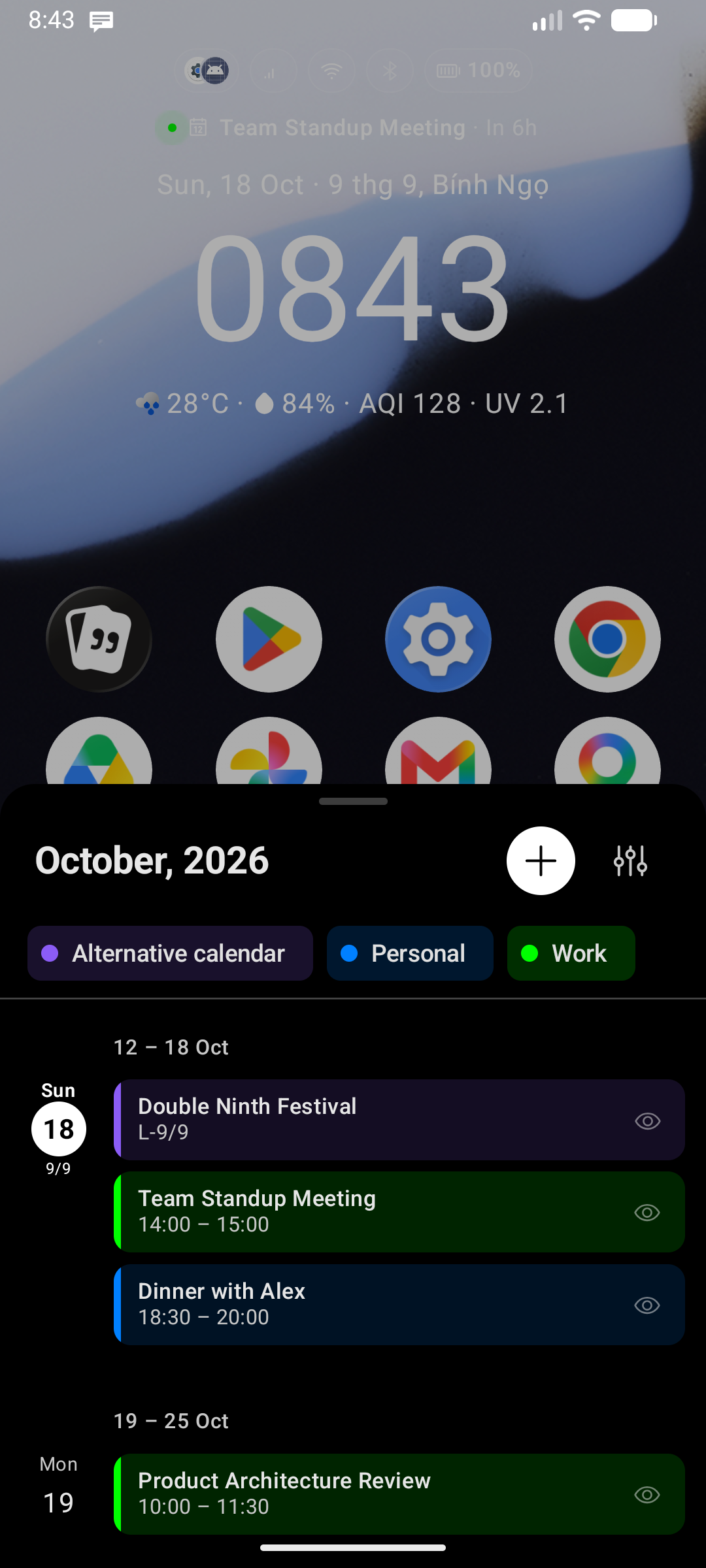
Accessing the Agenda Sheet
Unlike settings or app drawer overlays, you do not open the Agenda Sheet by swiping. Instead, you trigger it directly by tapping your schedule indicators:
- From the Home Screen: Tap directly on the Calendar date or the Event Indicator inside the Quick Glance widget area at the top of the screen.
- From Super Focus (Focus Mode): Tap directly on the Calendar date or the Event Indicator displayed on the focus screen.
Dismissing the Sheet
To close the Agenda and return to your workspace:
- Swipe down on the top drag handle bar of the sheet.
- Tap anywhere on the blurred background overlay outside the sheet area.
- Press your device's system Back button or the Home button.
- The sheet also automatically dismisses if the hosting Activity is stopped or minimized to prevent background resource leaks.