Showcase Your Setup
Showcase your setup turns your home screen into a framed, shareable mockup — a phone frame on a styled background, ready to post to a community or send to a friend.
Open it from Settings → General → Showcase your setup.
Choosing the Screenshot
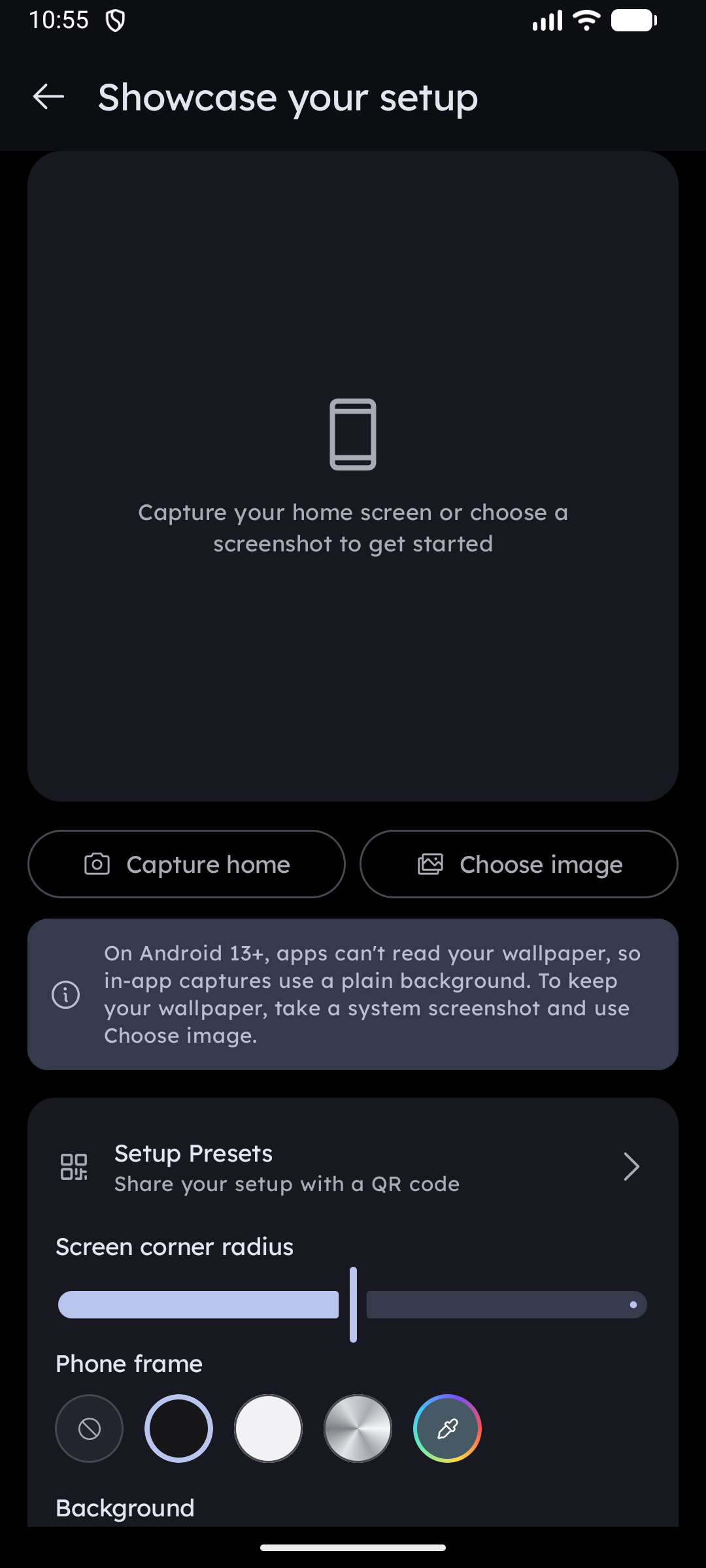
Two sources are offered at the top of the screen:
| Button | What it does |
|---|---|
| Capture home | Sends you to your home screen, captures it automatically after a moment, and returns to the showcase editor with the result |
| Choose image | Opens the Android photo picker so you can use a screenshot you already took |
Android 13 and later: apps are no longer allowed to read your wallpaper, so an in-app capture renders your home screen on a plain background instead of your actual wallpaper. To keep the wallpaper, take a normal system screenshot (Power + Volume Down) and load it with Choose image. The editor shows this reminder automatically when it applies to your device.
Styling the Mockup
Screen corner radius
A slider rounds the corners of the screenshot itself, from square to a heavily rounded modern-phone look.
Phone frame
Pick the bezel drawn around the screenshot:
| Option | Look |
|---|---|
| No frame | Screenshot only, with a soft drop shadow |
| Dark | Classic black bezel |
| Light | White bezel |
| Metal | Brushed-metal bezel with a sweeping highlight and hairline edge |
| Custom color | Any color from the color picker |
Background
The row of background swatches offers four gradients (indigo → purple, teal → deep blue, yellow → peach, charcoal), two solid colors (light gray, black), plus two extra dots at the end:
- Custom color — pick any solid color.
- Background image — use one of your own photos as the backdrop. Tap the dot again to swap the image.
The Key Launcher logo and name are drawn in the corner of the export. On colored backgrounds the branding adapts to light or dark automatically; on photo backgrounds it is always white with a shadow so it stays readable.
Sharing & Saving
| Action | Result |
|---|---|
| Share | Opens the Android share sheet with the rendered image attached |
| Save image | Writes the image to Pictures → Key Launcher in your gallery |
Save image appears on Android 10 and later. On older versions, use Share and save from the target app.
Your last style — corner radius, frame, background, and the source image — is remembered, so reopening the screen picks up where you left off.
Sharing the setup itself
A showcase image shows what your launcher looks like; a Setup Preset lets someone else have that look. The showcase screen carries a link straight to it, so you can post the picture and the QR code together.