Foldable & Tablet Optimizations
Key Launcher includes dedicated layout engines engineered specifically for large foldable inner displays and Android tablets.
Foldable Smartphones (e.g. Galaxy Z Fold, Pixel Fold)
When running on a foldable device, Key Launcher detects whether the inner large screen or the outer cover screen is active. Access options in Settings → Foldable:
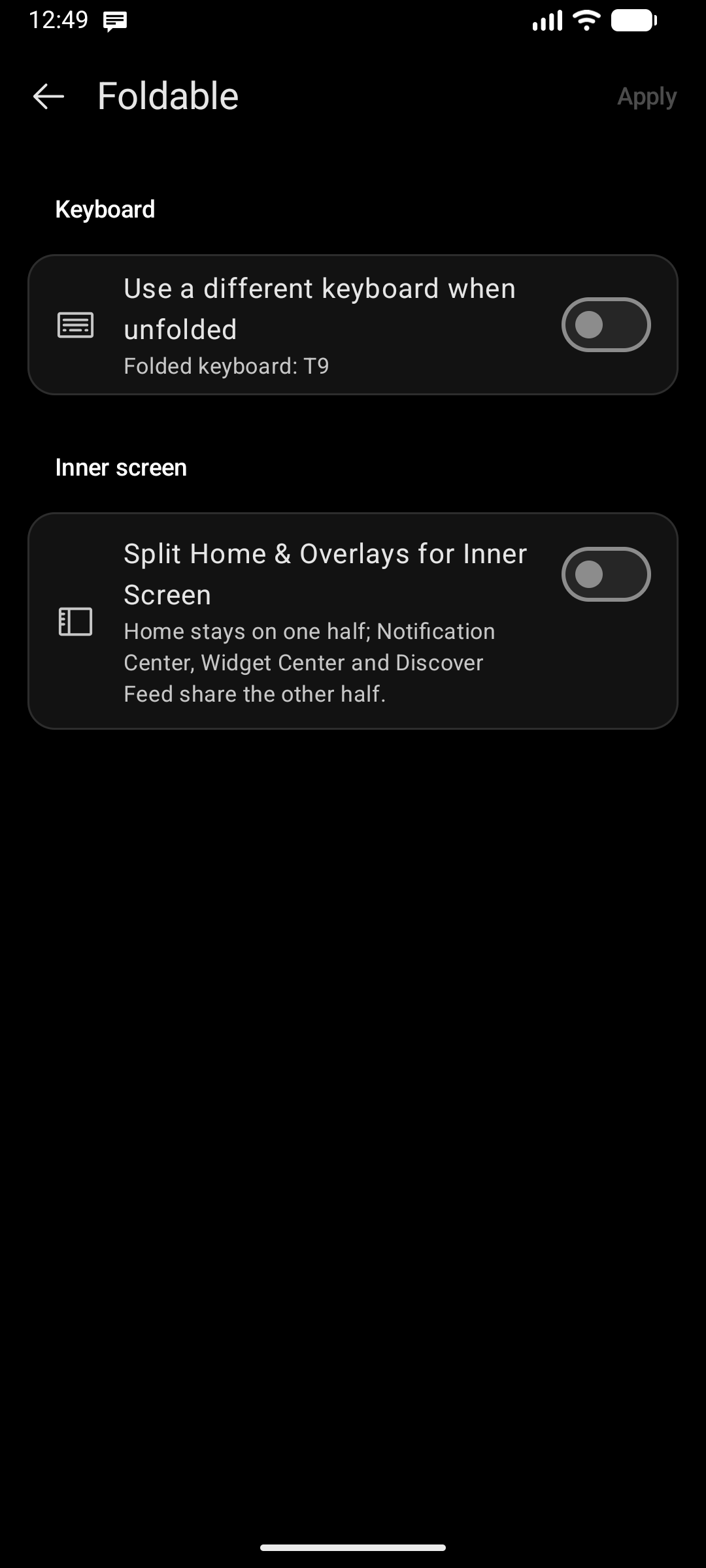
1. Independent Keyboards per Screen State
- Toggle Use a different keyboard when unfolded.
- For instance, keep the one-handed T9 keypad on the tall, narrow outer cover screen, and automatically switch to a full QWERTY layout when unfolding the device.
2. Inner Screen Layout Modes
- Use the Same Setup: Expands your current Home grid and widget spacing across the inner display.
- Split Home & Overlays: Splits the large screen into two productive halves:
- One Half: Your Home grid and keyboard stay pinned and ready.
- Other Half: Displays your Edge Panels (Notification Center, Widget Center, or Discover Feed) side-by-side in real time without obscuring your home screen!
- Home Side Position: Choose whether Home sits on the Left half or Right half to best suit your dominant hand.
Android Tablets
On tablet displays (or foldable devices forced to landscape), go to Settings → Tablet:
Single Pane vs. Multi-Column Split
- Single Pane: The classic minimalist launcher experience stretched cleanly across the full tablet width.
- Multi-Column Layout: Divide the wide display into Two Columns (Home + One Overlay) or Three Columns (Home flanked by two live edge panels).
- Home Position: Place your primary Home column on the Left, Center, or Right of the tablet layout.