Keyboard Configuration
The keyboard is Key Launcher's primary input surface. Keyboard Config lets you control how it looks, sounds, and behaves.
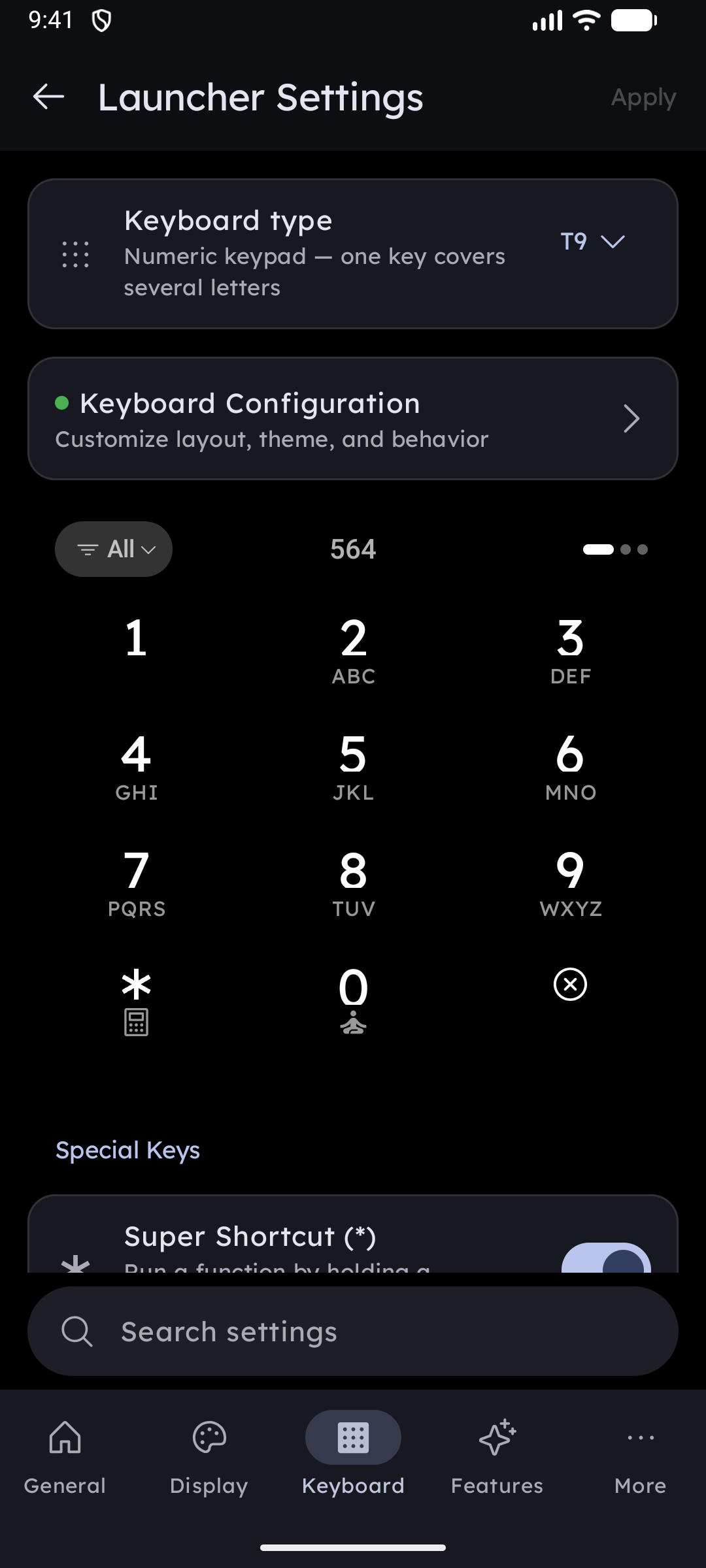
Keyboard type at the top of the tab switches between the classic T9 grid and a full QWERTY keyboard — see QWERTY Keyboard. The sections below apply to both unless noted.
Opening Keyboard Config
Long-press any empty area on the home screen to open Settings, switch to the Keyboard tab, then tap Keyboard configuration.
Live Preview
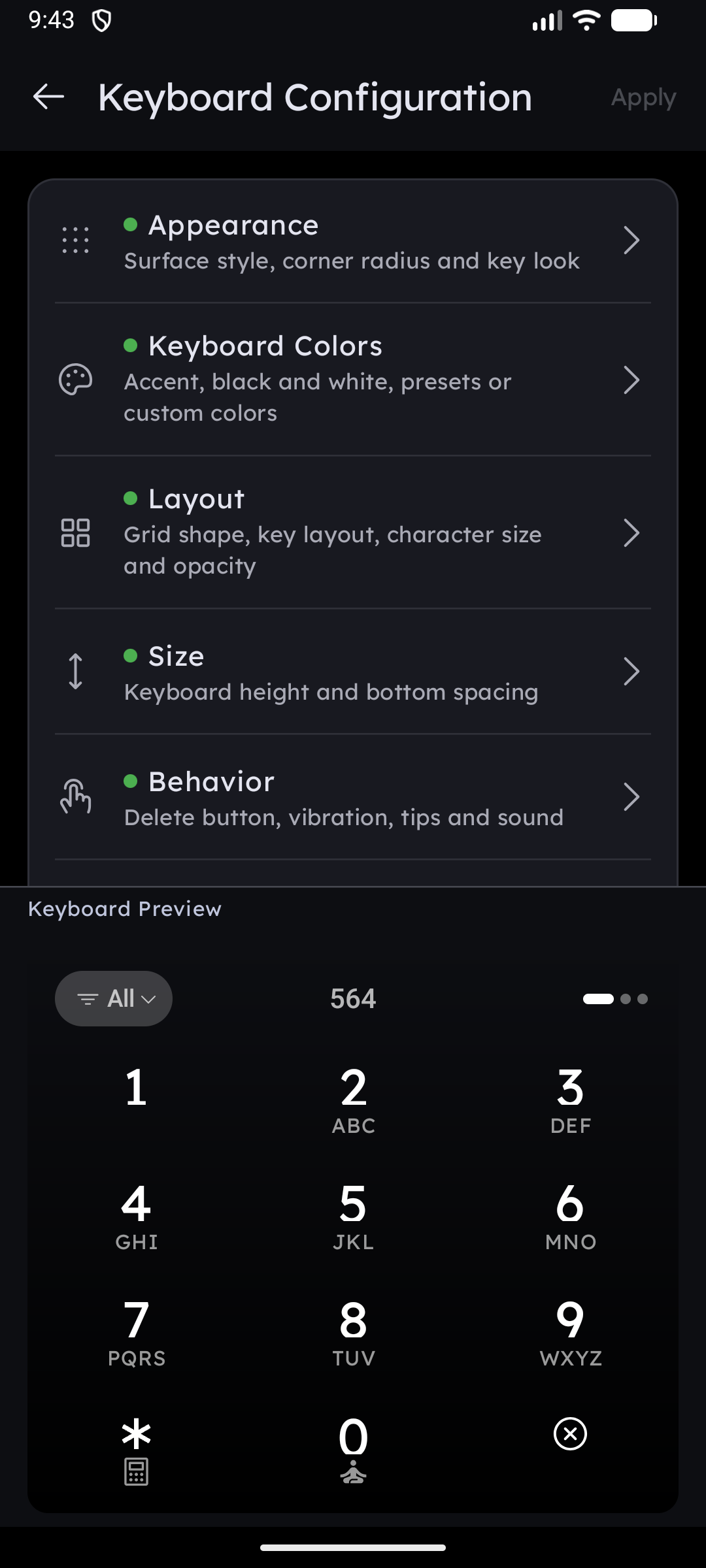
A keyboard preview is docked at the bottom of the screen while you configure. Every change is reflected immediately — tap any key in the preview to hear the click sound and feel the haptic before committing.
Changes do not take effect on the home screen until you tap the Apply button in the top-right corner.
What You Can Configure
| Section | What it covers |
|---|---|
| QWERTY Keyboard | Keyboard type, the four QWERTY layouts, symbol layer, number hints, letter Super Shortcuts |
| Appearance & Themes | Surface theme (Minimalism / Skeuomorphism + corner radius), minimal key buttons toggle |
| Colors & Opacity | Color theme (Accent, Black/White, 12 Presets, Custom), transparency slider |
| Size & Layout | 4-column layout, key layout mode, font scale, alternative characters, hint icons, keyboard height, bottom padding |
| Long-Press Actions | Assign Calculator, Super Focus, or the Ringer mode toggle to *, 0, and # |
| Sound & Vibration | Click sounds, volume, haptic feedback and strength, close button position, delete button behavior |