Super Focus
💎 Pro feature — Super Focus requires Key Launcher Pro. It is fully available during your in-app free trial.
Super Focus replaces the home screen with a distraction-free full-screen environment. The T9 keyboard, app drawer, and search overlay are not accessible while it is active.
Activating Super Focus
Long-press the 0 key on the T9 keyboard (default). You can move Super Focus onto * or # instead — see Long-Press Actions.
To switch to automatic activation: Settings → Keyboard → Long-press actions → Super Focus → set Activation to Auto Rotate. When Auto Rotate is on and you lay your phone flat or in landscape, Super Focus activates automatically and exits when you return to portrait.
Screen Layout
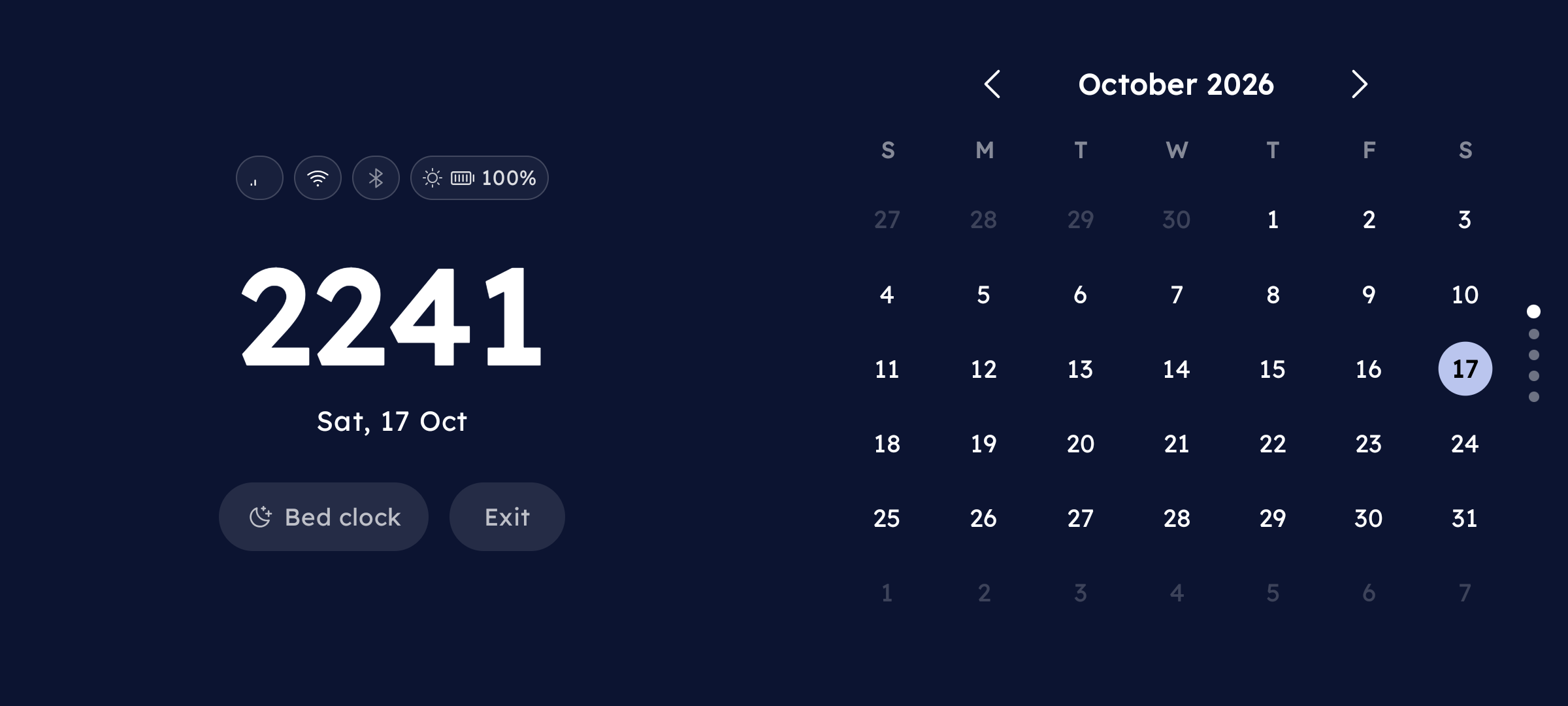
The screen is split into two columns:
Left column (always visible):
- Status bar — time, battery, Wi-Fi, signal, notification count
- Upcoming event indicator — tap to open the inline agenda sheet
- Clock and weather
- Exit button at the bottom
Right column — a vertical pager of modules. Swipe up/down to move between them. See Modules & Layout for what each module does and how to reorder or hide them.
Prefer the panels stacked top and bottom instead of side by side? Turn on Vertical layout in the Super Focus settings.
Exiting Super Focus
Tap the Exit button at the bottom of the left column. If the Focus Timer is running, a confirmation dialog appears first.
Pressing the back button shows a toast instead of exiting — use the Exit button. System navigation bars are hidden while Super Focus is active.
Opening Config
Long-press anywhere on the Super Focus screen to open the config screen directly.
Or: Settings → Keyboard → Long-press actions → Super Focus → ›.