Icon Gestures
Turn any app icon on your home screen or drawer into a multi-action launcher with Icon Gestures.
5 Distinct Gestures Per Icon
Every icon supports up to five independent gestures:
- Swipe Up
- Swipe Down
- Swipe Left
- Swipe Right
- Double Tap
What Can You Assign?
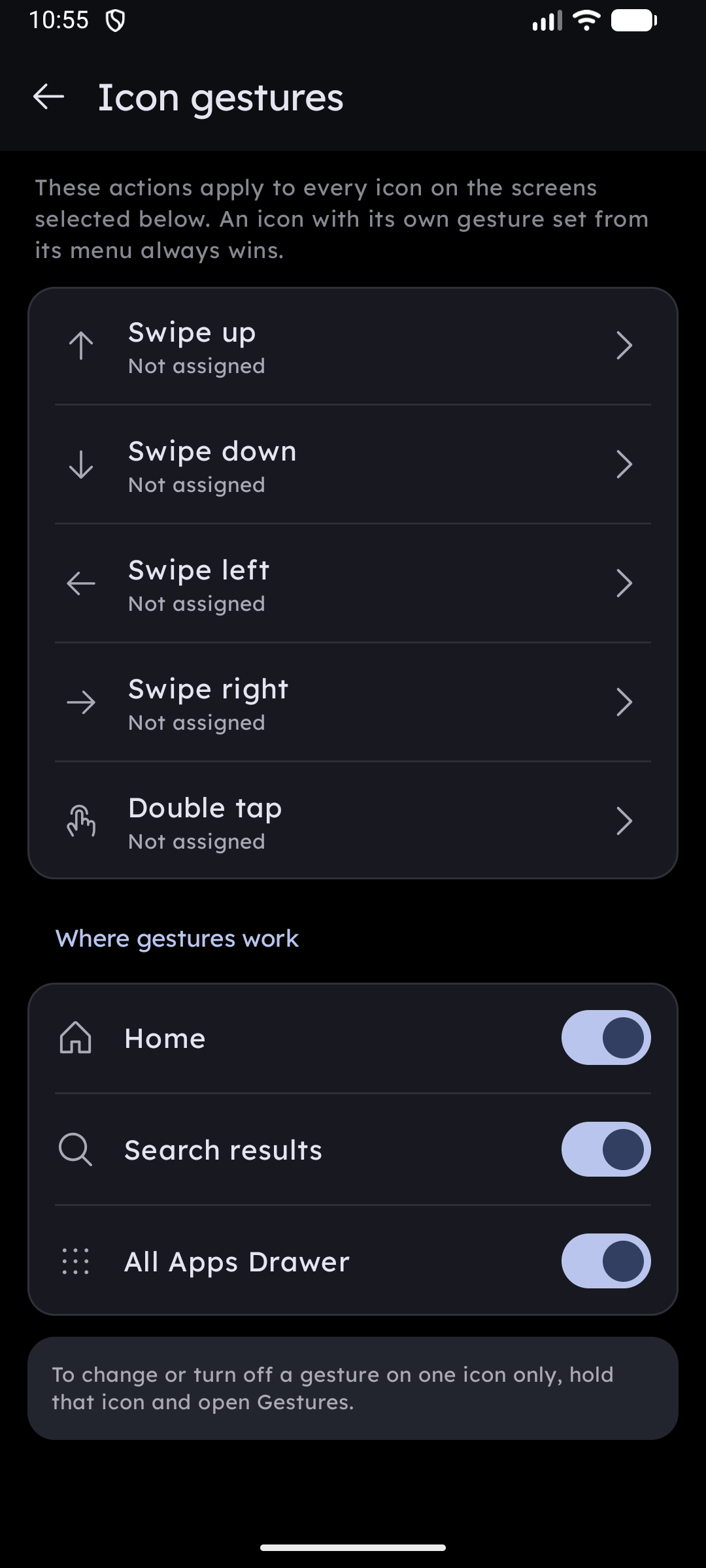
Long-press any icon and select Gestures to configure actions:
- Quick Action Shortcut: Directly trigger an app's specific shortcut (e.g., Compose Mail, Scan QR Code, New Incognito Tab) with a single flick.
- Notification Peek: Glance at incoming notifications exclusively for that application in an interactive floating card without pulling down the status bar.
- Folder Fan Out: If assigned to a folder, swiping causes apps to fan out gracefully along the direction of your swipe. Slide your finger to any app to launch it without lifting your hand.
- Launch Secondary App: Pair related apps together — for example, tap your Camera icon to take a photo, or swipe up on it to open Google Photos.
- Popup Widget: Display an associated popup widget floating over the home screen.
Setting Up Global Gesture Defaults
Want consistent muscle memory across all icons? In Settings → General → Gestures, you can configure global defaults (such as double-tapping any app to peek its notifications). Individual icon settings override the default.