Weather, Lunar Calendar & Special Days
These settings are in the Quick Glance config screen. Go to Settings → Display → Quick Glance (or tap the home-screen preview in the Display tab).
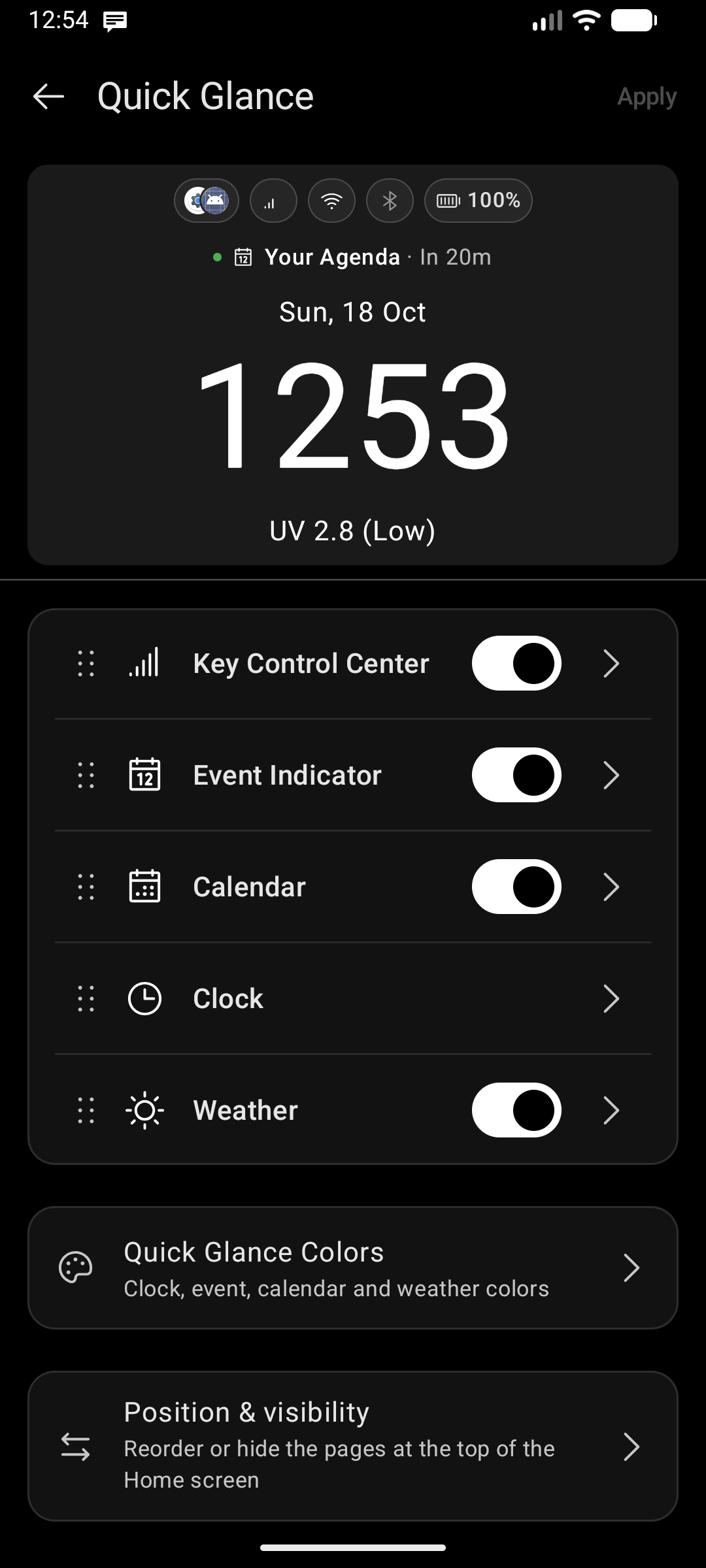
Lunar Calendar
Toggle Lunar Calendar on to display an alternative calendar date below the clock on the home screen. When enabled, two additional settings appear:
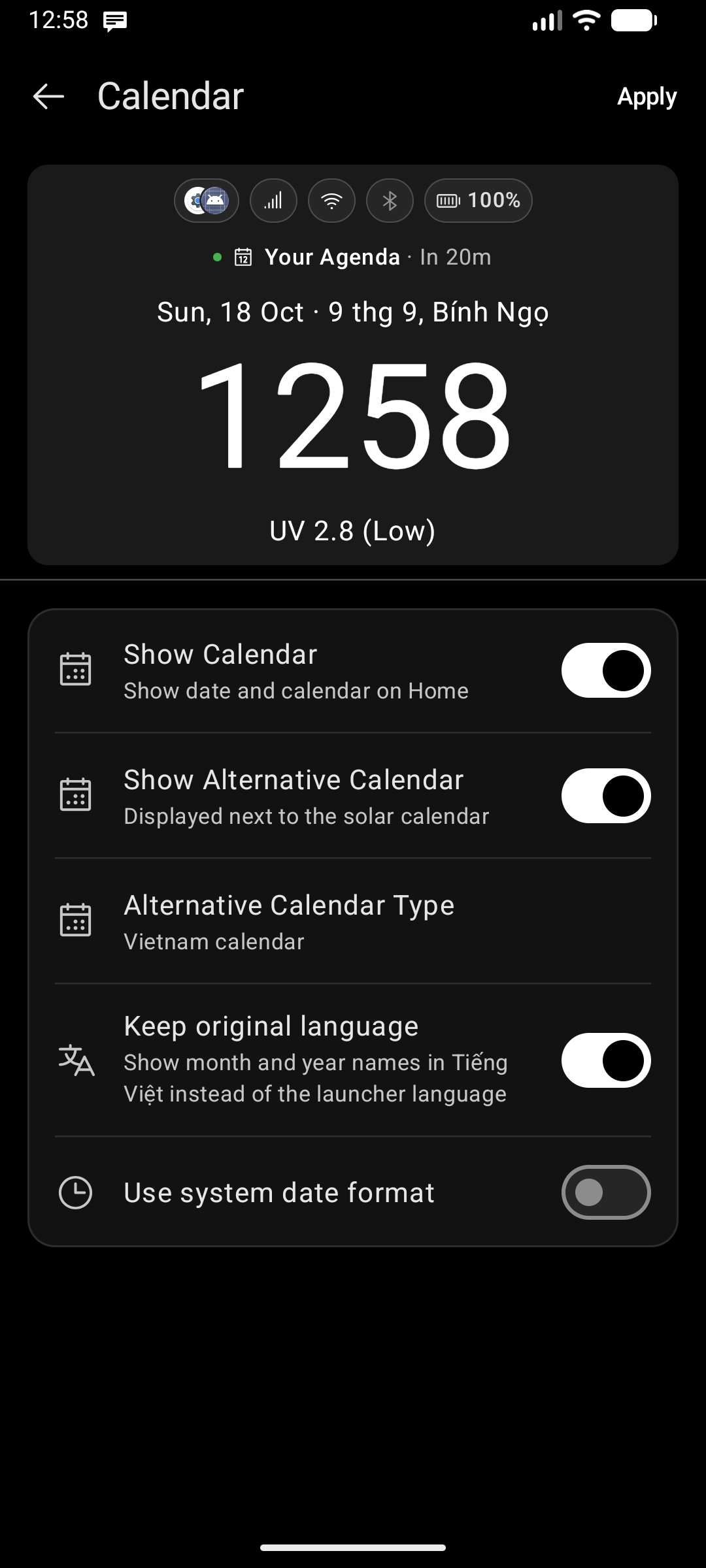
Calendar Type
Choose which calendar system to display:
| Type | Region / Tradition |
|---|---|
| Chinese Simplified | Mainland China |
| Chinese Traditional | Taiwan, Hong Kong |
| Hebrew | Jewish calendar |
| Hijri Civil | Islamic (tabular civil) |
| Hijri Kuwaiti | Islamic (Kuwaiti variant) |
| Hijri Saudi | Islamic (Umm al-Qura) |
| Indian | Indian National Calendar |
| Korean | Korean lunisolar calendar |
| Persian | Jalali / Solar Hijri |
| Vietnam | Vietnamese lunar calendar |
| Brazilian Holidays | Brazil — national public holidays |
Brazilian Holidays
Brazil uses the Gregorian calendar, so this option adds national holidays rather than a second date line. Thirteen dates are covered — nine fixed (New Year's Day, Tiradentes' Day, Labor Day, Independence Day, Our Lady of Aparecida, All Souls' Day, Republic Proclamation Day, Black Awareness Day, Christmas) and four that move with Easter each year (Carnival, Good Friday, Easter Sunday, Corpus Christi).
Because the dates already match the Gregorian date shown on the home screen, no duplicate second date line is drawn — you only get the holiday names.
Keep original language
Alternative calendar dates are normally written in the launcher's language. Turn Keep original language on and the month, year and stem-branch names appear in the language the calendar itself belongs to:
| Calendar | Off | On |
|---|---|---|
| Hebrew | 4 Elul | 4 אלול |
| Hijri | 3 Rabiʻ I | 3 ربيع الأول |
| Indian | 26 Sravana | 26 श्रावण |
| Persian | 26 Mordad | 26 مرداد |
| Vietnam | Lunar 7/5, Fire+ Horse | 5 thg 7, Bính Ngọ |
| Chinese / Korean | as above | 农历 7月5日 丙 马 / 음력 7월 5일 병 말 |
Only the names change — numbers stay in your usual digits so the alternative date still reads cleanly next to the Gregorian one. The setting applies to the home screen and the Agenda Sheet together, and the row hides itself for Brazilian Holidays, which has no second calendar to translate.
Useful even if you don't read that script: for some launcher languages there simply is no translated month name, so the date falls back to English — this option gives you the authentic name instead.
Special Days
When Lunar Calendar is enabled, a Special Days sub-toggle appears. Turning it on shows holidays from the selected alternative calendar above the clock (for example, Eid for Hijri calendars, Tết for the Vietnamese calendar, Rosh Hashanah for the Hebrew calendar, or the national holidays above for Brazil).
Weather
Tap the Weather row to expand individual data toggles:
| Toggle | What it shows |
|---|---|
| Temperature | Current temperature + unit choice (°C / °F) |
| Humidity | Current relative humidity |
| Air Quality | AQI reading from the weather source |
| UV Index | Real-time UV Index rating accompanied by WHO health risk exposure categories (Low, Moderate, High, Very High, Extreme) |
Measurement Units & Forecast Swiping
- Custom Units: Choose your preferred units for Wind Speed (m/s, km/h, mph, knots), Precipitation (mm, inches), and Atmospheric Pressure (hPa, mmHg, inHg).
- Forecast Day Gestures: Inside the Weather details dialog, you can seamlessly swipe left or right to navigate day-by-day across the multi-day forecast.
When at least one weather stat is enabled, two more settings appear:
Location
Choose between Automatic (uses device GPS — requires Location permission) or Manual (search and select a city by name).
Data Source
- OpenWeather & WAQI — weather forecast + AQI from OpenWeather and WAQI.
- Open-Meteo — an alternative source. Tap to configure API and geocoding endpoint URLs.
Preferred Weather App
Choose which app opens from the weather details popup (see below).
Weather details popup
Tapping the weather on the home screen no longer jumps straight out to another app — it opens a details popup first:
- Today's condition with high/low, and arrows to page through the coming days.
- Tiles for the stats your source provides: rain, humidity, pressure, cloud cover, wind (with a direction arrow), sunrise and sunset.
- Air quality with a plain-language rating, shown on today's page only, since both sources report AQI as a current reading rather than a forecast.
- A button at the bottom that opens your preferred weather app, wearing that app's own icon. If you haven't picked one yet, it lets you choose.
Only stats the source actually returns get a tile, so the popup never shows empty placeholders. If a forecast can't be fetched, the popup still opens with today's conditions.
Birthday Reminders
Key Launcher reads birthdays from your system contacts and shows them in two ways:
- Agenda Sheet: Birthdays appear on the correct date with a Birthdays chip filter you can toggle on or off.
- Push notifications: A notification fires each morning for contacts whose birthday is today. Requires Contacts permission (see Essential System Permissions).
There is no dedicated on/off toggle — birthday reminders run automatically whenever Contacts permission is granted.