Discover Feed (RSS Aggregator)
Key Launcher includes a custom-built Discover Feed — a private, ad-free news feed that looks and feels like Google Discover but fetches articles directly from RSS/Atom sources with no tracking.
Accessing the Feed
Swipe across the keyboard toward the edge where Discover Feed is assigned (see Position Config).
First launch: The first time you open the feed, a source picker appears. Choose your preferred language and select initial sources by topic. You can skip this step — a default set of sources is pre-selected so the feed loads content immediately.
Reading the Feed
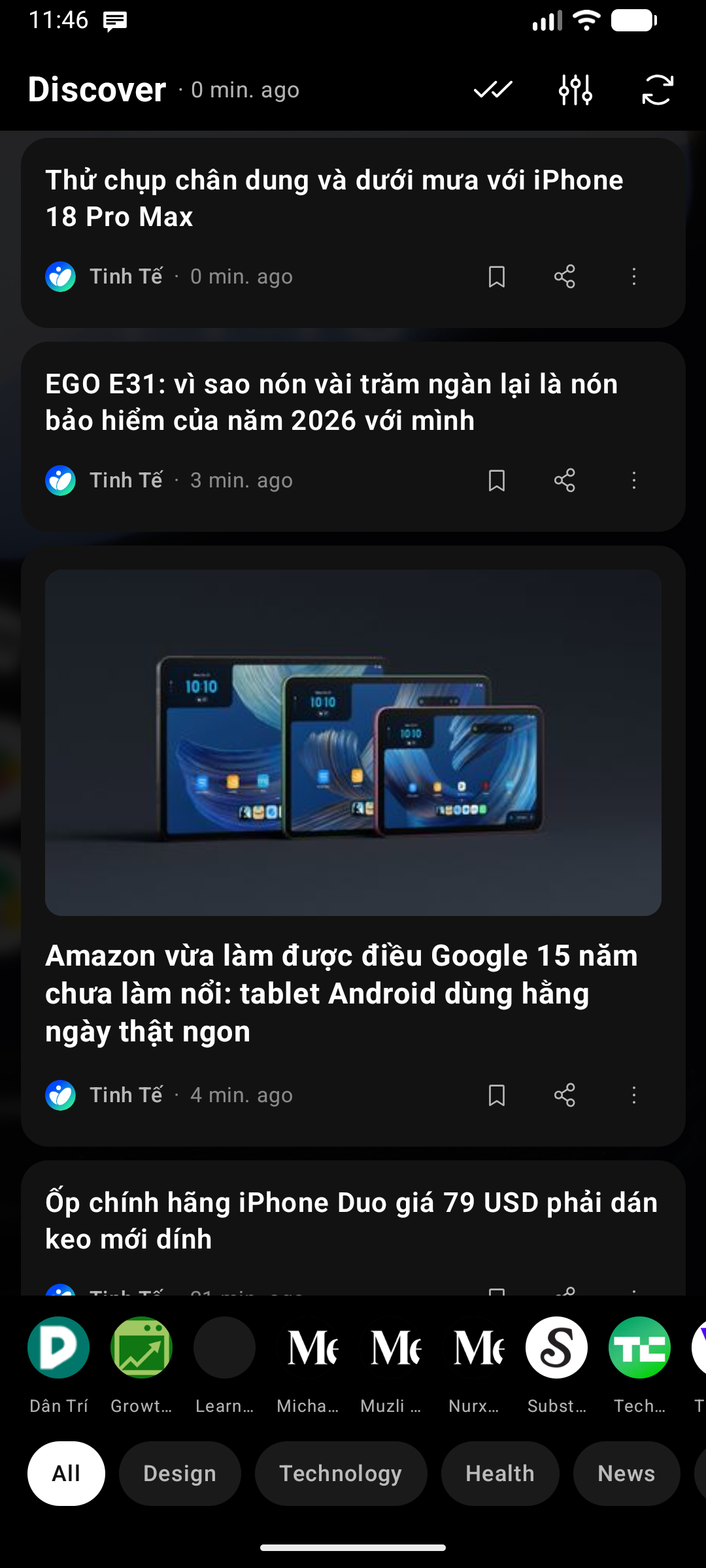
- Article cards: Each card shows a hero image (when available), title, source name, and publish time. Cards without a hero image use a compact text-only layout.
- Topic chips: A row of topic chips at the top (or bottom, configurable) lets you filter the feed by category — tap a chip to show only articles from that topic. Tap again to clear the filter.
- Open an article: Tap any card to open it in the built-in Reader — a clean, translatable, readable view. Turn Reader off in Feed settings and cards open in your browser instead.
- Refresh: Pull down anywhere in the feed to manually refresh, or tap the Refresh () button in the header. The header also shows when the feed was last updated.
Read & Unread
Stories you have opened are marked as read automatically, so you can tell at a glance what is new:
- Read cards fade; unread ones stay at full strength.
- Mark as read / Mark as unread live in each card's menu, so you can correct either state by hand.
- Mark all as read sits in the feed header for a clean slate.
- Feed settings → Hide read stories goes further and removes stories from the list once you open them. When every story is read the feed shows a no unread stories state with a Refresh button rather than pretending you have no sources.
Stories you read in the current session stay put until you close the panel — the card never disappears from under your finger. Marking by hand applies immediately.
Saving, Sharing & Hiding Content
Each card carries a row of quick actions:
- Save (): Bookmark an article to read later. Tap again to unsave.
- Share (): Send the article link to any app via the Android share sheet.
- Hide ( → Hide this content): Remove an article you don't want to see from the feed.
Your collections live in the Feed Config screen ( icon in the feed header):
- Saved Content — all bookmarked articles, with a counter. Tap any entry to open it, or remove it from the list.
- Hidden Content — everything you've hidden. You can unhide individual articles, and also manage sources or whole topics you've hidden from here.
Managing Sources
Tap the Settings () icon in the feed header to open Feed Config. From there, tap Manage Sources to:
- Add a custom RSS or Atom URL.
- Edit an existing feed — In the Selected sources list, your custom feeds display an Edit () pencil button. Tap it to change the feed URL, rename its title, reassign its topic, or permanently delete the feed. The ✕ button on source chips simply deselects the source from your active feed without deleting it.
- Toggle existing sources on or off.
- Reorder topics — drag the handle () on a topic header to change its position. This order also drives the topic chip row in the feed.
- Import or export your subscriptions as a standard OPML file.
Topics
Sources are organized into ten built-in topics:
News · Technology · Entertainment · Politics · Business · Lifestyle · Finance · Sports · Science · Health
Custom topics
When adding or editing an RSS feed, the topic field lets you pick one of the built-in topics or type your own — for example Football, Design, or Local news. Custom topics get their own chip in the feed and their own section in Manage Sources, so you can group niche sources exactly how you think about them.
Rename a topic later with the Rename topic action on its header; every source filed under it follows.
The topic chip row only shows topics that have at least one article in the current feed.
Panel Background
Like the Widget Center and Notification Center, the feed has its own background: Feed settings → Background offers the default panel surface, a monochrome color, or an image from your gallery. Each panel keeps its own choice, and with an image the header and topic chips get a scrim so they stay readable over busy pictures.
Privacy & Technical Details
- Privacy-first: Key Launcher fetches RSS/Atom feeds directly — no proprietary APIs, no ad networks, no tracking. Articles open in the built-in Reader or your browser; Key Launcher never proxies or logs your reading activity.
- Hero image extraction: The parser looks for
media:content,media:thumbnail,enclosure, or an<img>tag in the article description to find a cover image. - Offline cache: Articles are cached locally. Opening the feed loads cached content instantly while a background refresh runs.
- Background refresh: A
WorkManagerjob refreshes the feed every 3 hours when connected to a network. The job is skipped automatically when Discover Feed is not assigned to any edge, so it never runs if the feature is unused.
Free Plan Limits
💎 Free plan — the feed shows up to 30 articles, and up to 3 sources (including custom URLs) can be enabled at the same time. Key Launcher Pro unlocks unlimited articles and sources (included in the in-app free trial).