Swipe Gestures
Key Launcher delivers a fast, ergonomic navigation experience through a full suite of home screen and keypad gestures. You can reach any app, panel, or system function with a single thumb flick, eliminating the need to stretch for status bars or physical buttons.
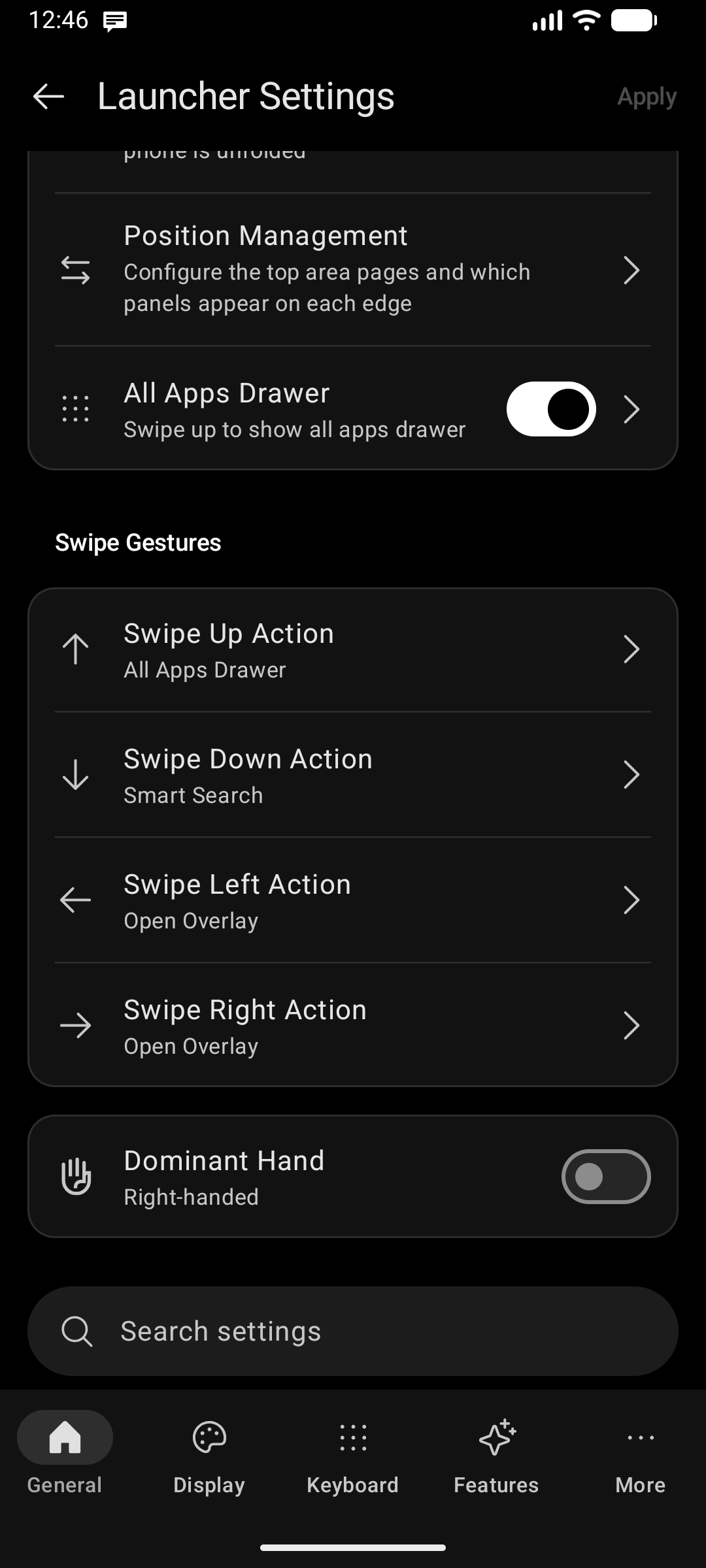
Home Screen Gestures
Go to Settings → General → Swipe Gestures to customize what happens when you swipe across the home screen:
1. Swipe Up Action
Choose what occurs when you swipe upward anywhere on the home screen:
| Action | Description |
|---|---|
| All Apps Drawer (Default) | Opens the full application drawer with category tabs, alphabet index bar, and search |
| Open App | Directly launches a specific favorite app of your choice |
| Notifications | Pulls down the system notification shade |
| Search Apps | Opens Universal Smart Search |
| Google Search | Launches Google Search directly |
| None | Disables the upward swipe gesture |
2. Swipe Down Action
Choose what occurs when you swipe downward on the home screen:
| Action | Description |
|---|---|
| Smart Search (Default) | Opens Universal Smart Search to query apps, contacts, settings, and files |
| Notifications | Pulls down your system notification shade |
| App Quick Action | Triggers an app quick action shortcut (e.g. Scan QR, compose email, new note) |
| Google Search | Launches Google Search directly |
Notifications pull-down requires the Accessibility Service permission so Key Launcher can expand the system status shade on modern Android versions. See Essential System Permissions.
3. Swipe Left & Swipe Right Actions
Horizontal swipes give you instant access to side panels or dedicated apps:
| Action | Description |
|---|---|
| Open Overlay (Default) | Reveals your Edge Panels chain (Notification Center, Discover Feed, Widget Center) based on your dominant hand setup |
| Open App | Launches a designated application |
| Notifications | Pulls down the notification shade |
| Search Apps | Opens Universal Smart Search |
| Google Search | Launches Google Search |
| None | Disables horizontal gestures |
Double-Tap to Lock Screen
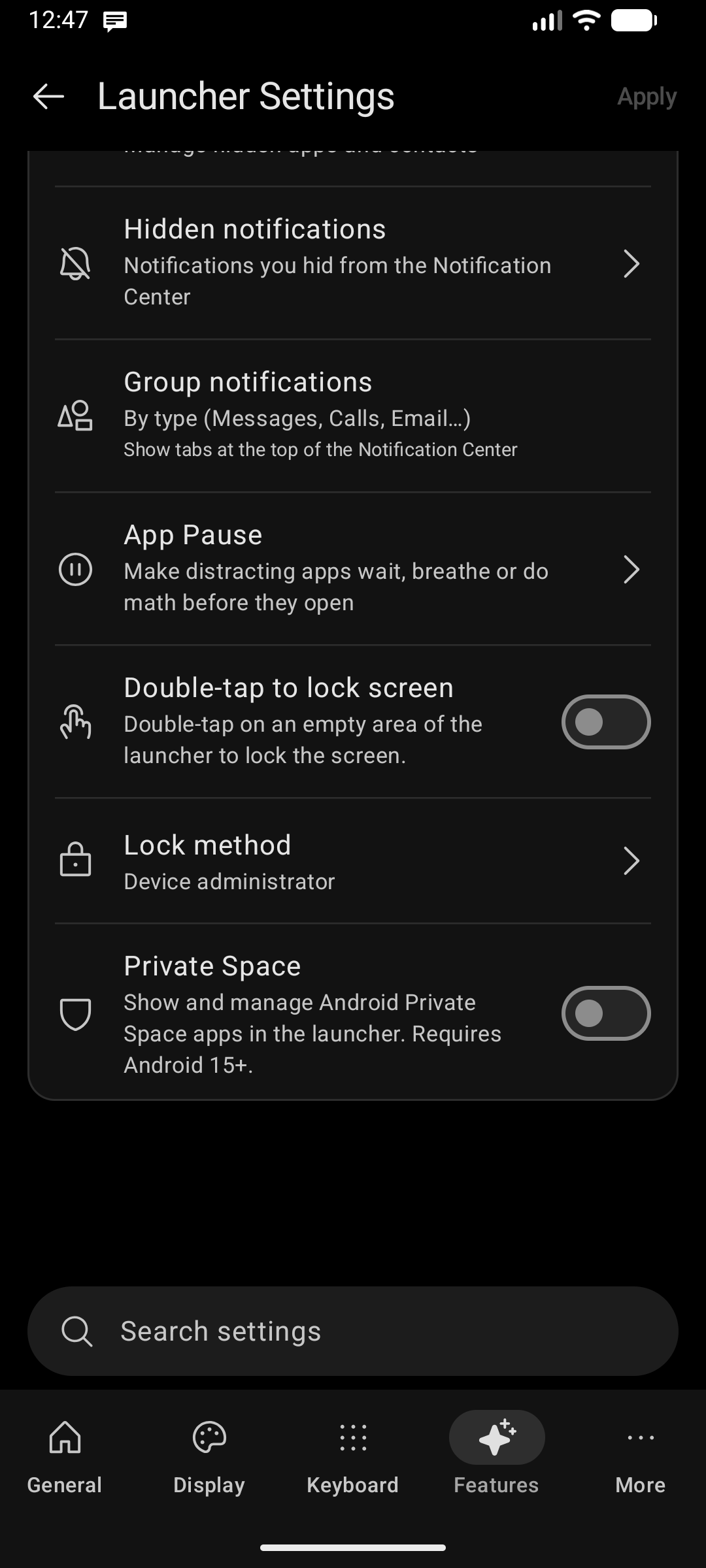
Turn off and lock your display effortlessly without pressing the physical power button:
- Go to Settings → Features → Double-tap to lock screen.
- Double-tap anywhere on an empty area of the home screen, clock, or top information bar.
- Lock Method Options:
- Accessibility Service: Recommended for modern Android (Android 9+). Lets you unlock again using biometrics (fingerprint / face unlock) without requiring a PIN.
- Device Administrator: Classic hardware-level lock method. (May prompt for PIN/Pattern on some devices depending on security policy).
Edge Panels & Position Management
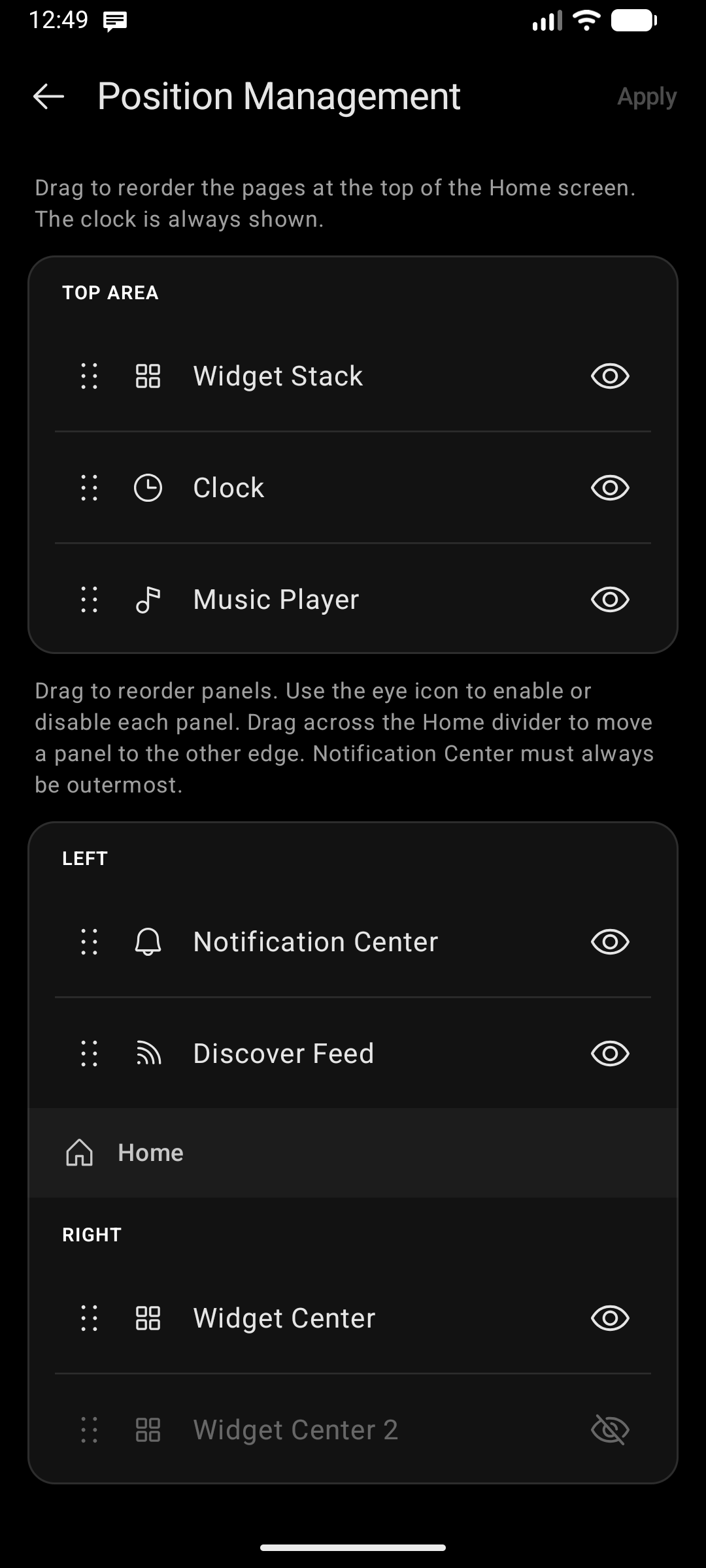
When horizontal gestures are set to Open Overlay, swiping from screen edges pulls out your customized slide-over panels:
- Notification Center: Grouped notifications by category (Messages, Calls, Email, Apps) with Quick Glance integration.
- Discover Feed: Clean RSS news reader with distraction-free Reader Mode.
- Widget Center: Custom Android widgets organized in a smooth scrollable sheet.
Configure which edge each panel appears on and change reordering in Settings → General → Position Management or toggle Dominant Hand (Left / Right).
Keyboard Swipes
The on-screen T9 and QWERTY keyboards support intuitive vertical and horizontal swipe gestures:
- Swipe Down on Keypad: Minimizes the keypad into a compact bar, revealing more wallpaper and widgets while keeping quick search accessible.
- Swipe Up on Compact Bar: Immediately restores the full keypad.
- Horizontal Swipe across Keypad: Slides open your active Edge Panel overlay without needing to touch the screen edge.
App Icon Gestures
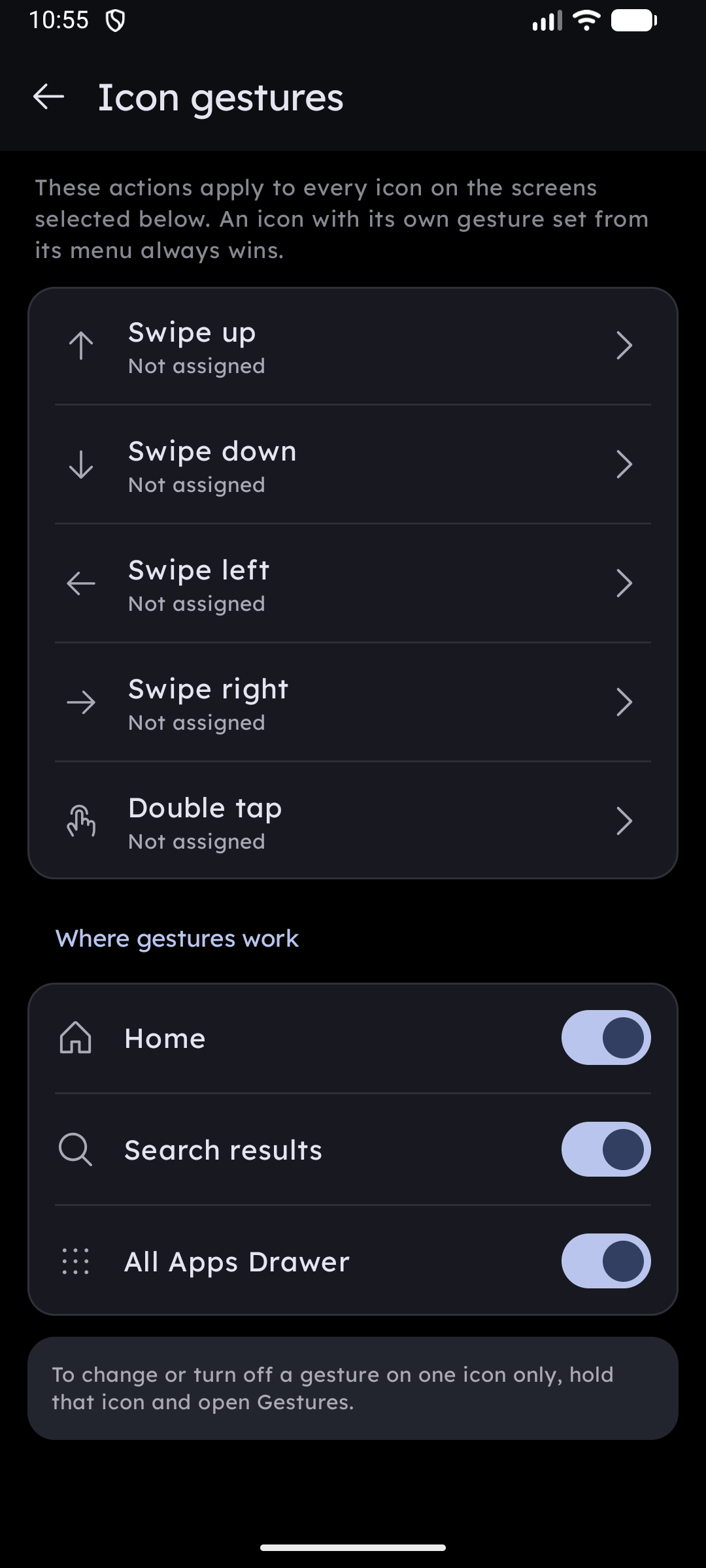
In addition to home screen swipes, every app icon supports 5 independent directional gestures:
- Swipe Up, Swipe Down, Swipe Left, Swipe Right, and Double Tap.
- Assignable actions include launching popup widgets, peeking at pending notifications, opening folder fan-outs, triggering app quick actions, or viewing app info.
- Configure per app by long-pressing any icon → Gestures, or set global defaults in Settings → System / Behavior → Icon gestures. See Icon Gestures.