Managing App Drawer Categories
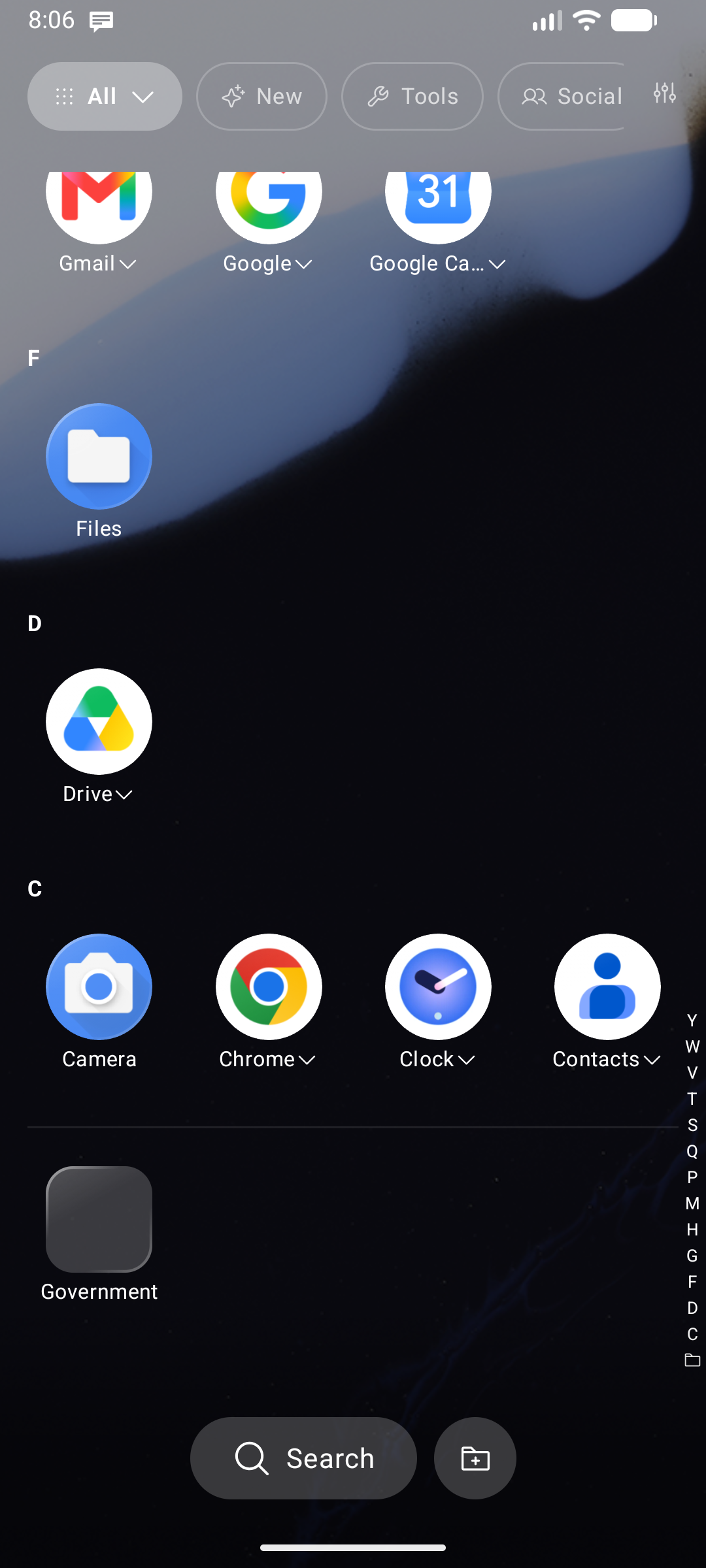
The App Drawer (opened by swiping up from the home screen) organizes all your apps into category tabs. Categories are auto-assigned by Android's system classification, and you can fully customize them directly in the drawer.
Built-in Categories
| Tab | Contents |
|---|---|
| All | Every installed app (excluding hidden items) |
| New | Recently installed or updated apps |
| AI | Artificial Intelligence assistants, chatbot clients, and generative tools |
| Shopping | E-commerce platforms, order tracking, and delivery apps |
| Finance | Banking apps, digital wallets, crypto, and budgeting utilities |
| Education | Language learning, reference guides, course apps, and e-readers |
| Health | Fitness trackers, workout logs, medical, and wellness apps |
| Travel | Maps, navigation, ride-hailing, airlines, and hotel booking apps |
| Social | Messaging apps, social networks, and email clients |
| Media | Photo galleries, music players, podcast, and video streaming apps |
| Productivity | Office suites, note-taking, calendars, and task management |
| Tools | Calculators, file managers, sensors, and system utilities |
| Games | Games and entertainment experiences detected by the system |
| Work | Apps inside your Android work or managed profile |
| Private Space | Apps inside your Android 15+ Private Space profile |
A tab is only shown when it contains at least one app — empty tabs are hidden automatically to keep the interface uncluttered.
Batch Managing Apps (Multi-Select)
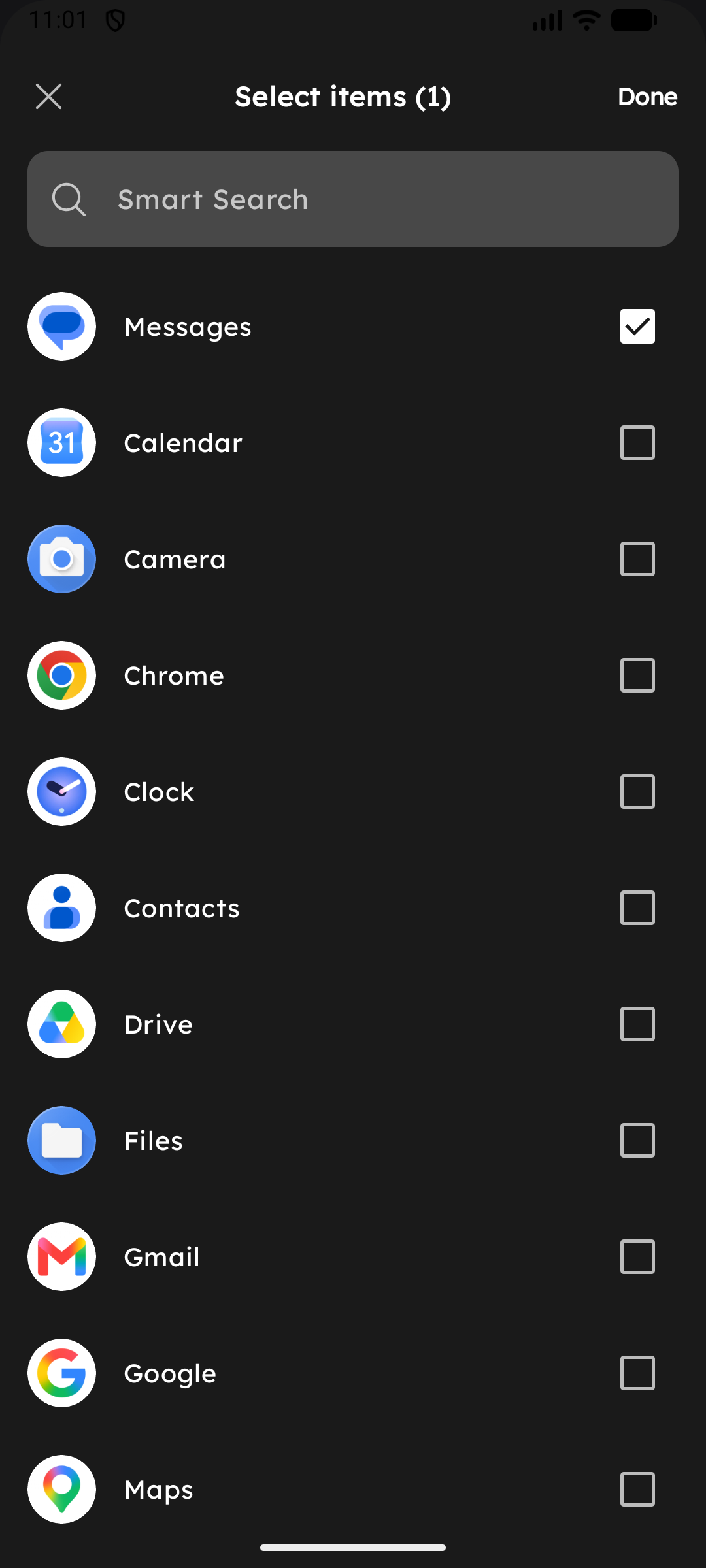
Managing which apps belong to each category is faster than ever:
- Tap any category chip in the top bar to select it.
- Tap the selected category chip again to open its options.
- Select Add or remove apps.
- Check or uncheck multiple apps at once to bulk-assign them, then tap Save. This works for both custom and built-in categories.
Managing Categories Sheet
Tap the Tune () icon at the far right of the category bar to open the Manage Categories sheet:
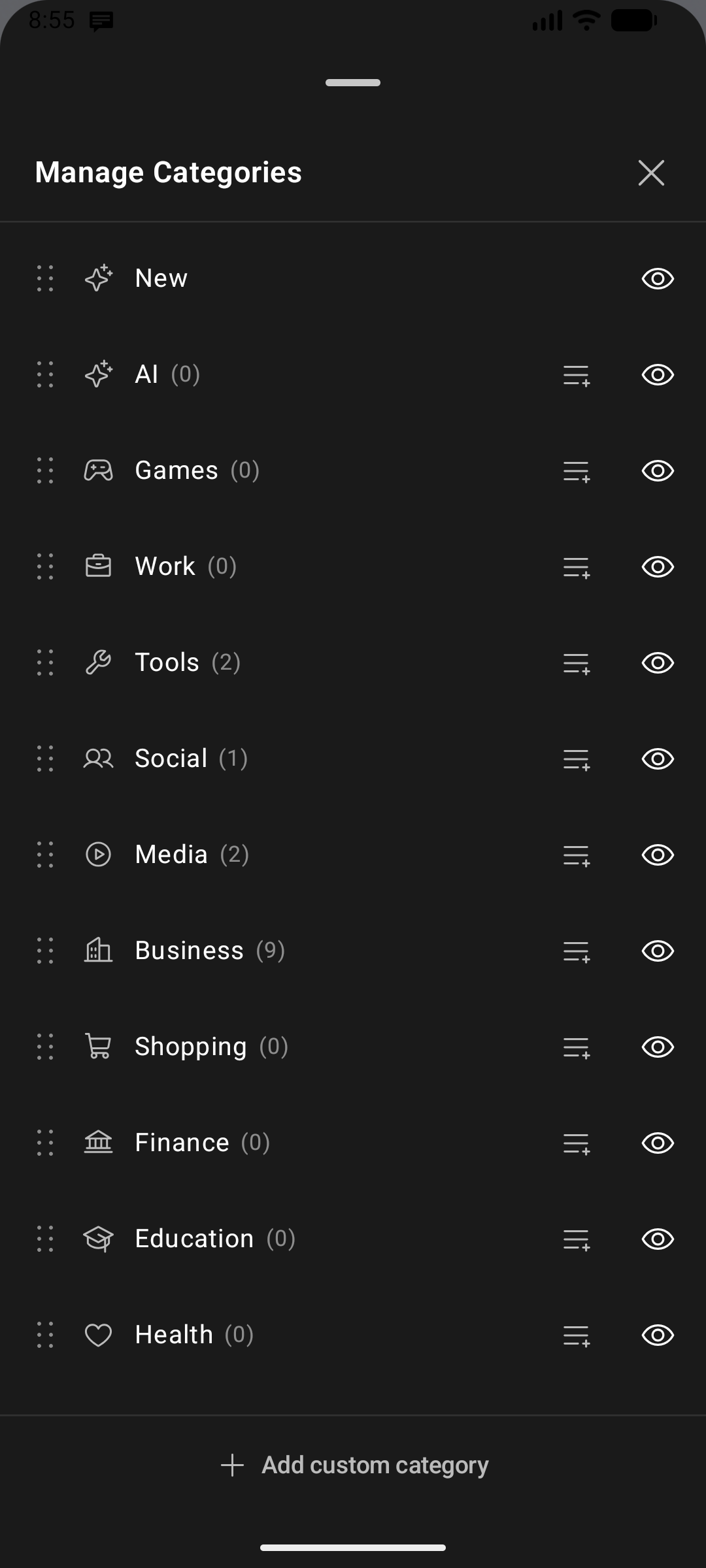
- Reorder tabs: Drag the handle next to any category to reorder tabs.
- Hide a category: Toggle off categories you don't wish to see.
- Add custom category: Tap Add custom category, enter a name, and pick an icon.
- Assign apps: Move apps into or out of custom categories.
Drawer Layout & Sizing Settings
Go to Settings → All Apps Drawer to customize the drawer interface:
| Setting | Description |
|---|---|
| Bottom-Up App Drawer | Reverses the list flow so the first items start right above the bottom bar, placing apps within effortless thumb reach for one-handed operation |
| Drawer Icon Size | Custom icon scale specific to the drawer, independent of the home screen |
| Drawer Label Size | Custom font size for app titles inside the drawer |
| Category Bar Text Size | Font size for the top category chips |
| Keep foldered apps in drawer | Copies foldered apps into the main alphabetical list instead of hiding them from the main list |
| Category tabs | Toggle the entire top category tab bar on or off |
| Alphabet scroll bar | Fast-scroll A–Z index along the right edge of the screen |
| All Apps Screen Opacity | Adjust background opacity from 0% (transparent) to 100% (solid) |
| Backdrop Blur | Real-time Gaussian background blur effect on Android 12+ |