Android Private Space
Android Private Space is a system-level feature introduced in Android 15 that lets you install apps in a completely isolated profile — separate from your main apps, with its own data, logins, and lock state. Key Launcher integrates natively with Private Space, surfacing those apps directly in the app drawer.
Requirements
- Android 15 (API 35) or later. On Android 14 and below, this toggle is hidden.
- Samsung devices: Samsung has backported a compatible Private Space implementation, so it may work on some Samsung devices running Android 14.
Enabling in Key Launcher
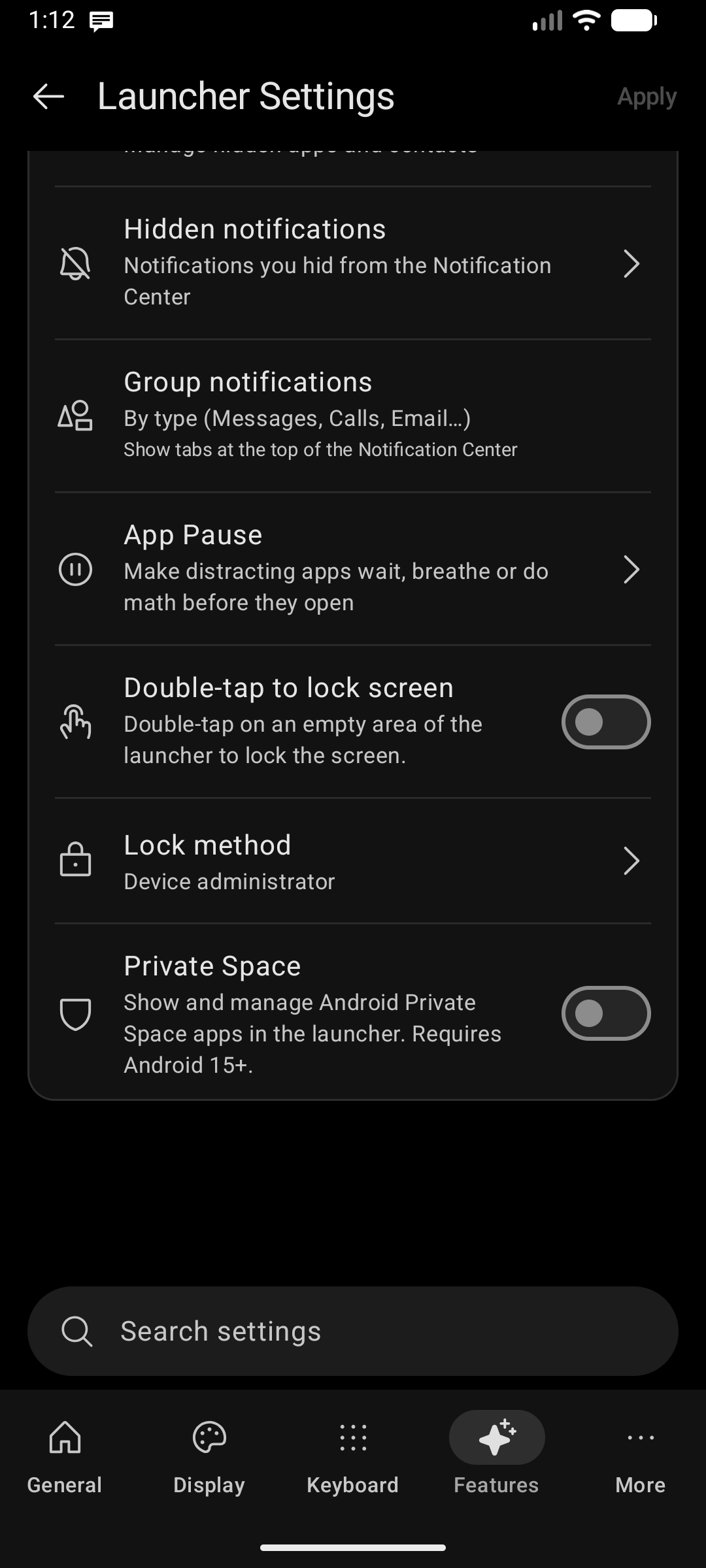
- Go to Settings > Features tab.
- Toggle on Private Space.
- Apps installed in your Android Private Space will appear under the Private Space category tab in the app drawer.
You lock and unlock Private Space through the Android system (not through Key Launcher). When Private Space is locked, its apps are hidden from the drawer entirely. When unlocked, they surface under the Private Space category.
Working with Private Space Apps
Long-pressing a Private Space (or Work Profile) app gives you the full context menu, including App Info and Uninstall — Key Launcher opens the App Details page inside that profile, where those actions actually work. See Long-Press Context Menus.
A few behaviors worth knowing:
- The same app in both profiles is listed twice — the main copy and the Private Space copy — and they are treated as separate items. Uninstalling one leaves the other exactly where it was, including inside folders.
- Folder entries are never dropped while Private Space is locked. A locked profile is invisible to the launcher, so entries are kept and reappear once you unlock, instead of being cleaned up by mistake.
- Notification badges from Private Space apps are labelled so you can tell them apart from the main profile's.
Difference from Key Launcher's Private Vault
| Android Private Space | Key Launcher Private Vault | |
|---|---|---|
| Isolation level | Full Android system profile (separate data/logins) | App-level hide + passcode gate in Key Launcher |
| Requires | Android 15+ | Any Android version |
| Unlock method | System biometric / device PIN | # + your 4–8 digit passcode on the T9 keyboard |
| Apps appear when locked | Hidden from drawer | Hidden from drawer |
Use Private Space when you need true data isolation (e.g., a secondary work profile). Use Private Vault for a quick hide-and-lock of existing apps without a separate profile.