Double-Tap to Lock Screen
Double-tap any empty area on the screen to instantly lock your device — saving wear and tear on your physical power button.
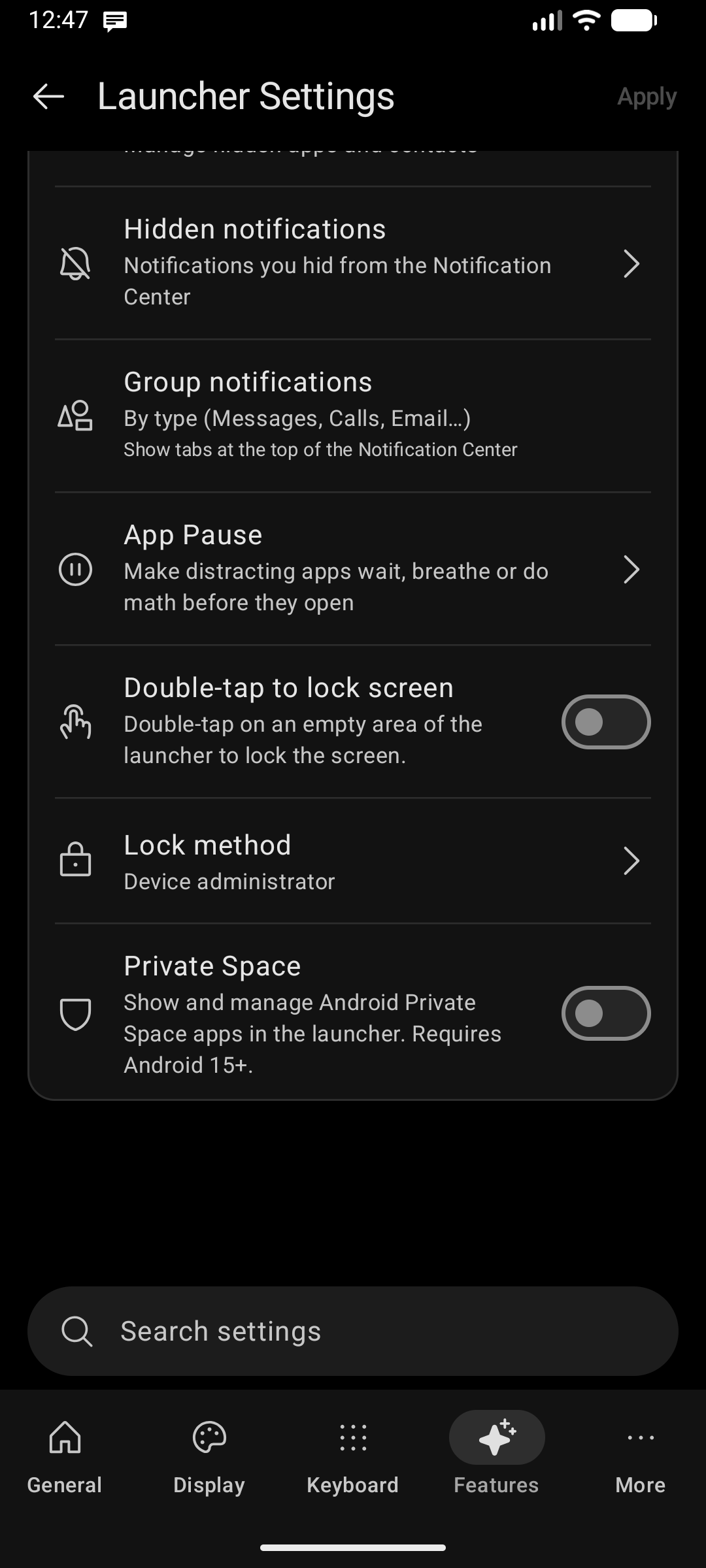
3 Flexible Locking Methods
Different Android versions and custom manufacturer ROMs handle software screen locking differently. Key Launcher gives you complete control via Settings → Features → Double-tap to lock screen → Locking Method:
1. Accessibility Service (Recommended)
- How it works: Uses the official Android Accessibility API to trigger the system lock screen.
- Best for: Preserving biometric unlocking (Fingerprint and Face Unlock). You can unlock your phone immediately with your fingerprint without being forced to type a PIN.
2. Device Admin
- How it works: Uses the legacy Android Device Administrator permission to turn off the display instantly.
- Behavior: Due to Android's strict security policies, locking via Device Admin may require you to enter your PIN or pattern rather than using fingerprint on some devices.
3. Screen Timeout
- How it works: Temporarily sets the display timeout to zero, smoothly dimming and sleeping the screen.
- Best for: Devices where Accessibility services are restricted by company MDM or personal preference.
Where Does It Work?
Double-tap to lock works across the entire launcher:
- On blank areas of the Home screen.
- In empty spaces inside the App Drawer.
- Across the Search Overlay and edge panels.
Privacy & Battery: Key Launcher never monitors background keystrokes or inspects screen content. The Accessibility service is strictly used for the system lock event. When turning off Double Tap to Lock, the launcher proactively prompts you to revoke unused system permissions.